All Posts By Antonio RussoApril 21, 2026 · 10 min read
The AI Co-Admin: Building a Zero-Trust, Multi-Cloud Vending Machine on the GitHub Free Tier
By Antonio RussoApril 21, 2026 · 10 min read
The promise of an autonomous AI "Co-Admin" is often overshadowed by a terrifying reality: How do you give an agent the keys to your kingdom without risking the kingdom itself? So, I have passed the Rubicon....
In this project, I have successfully onboarded OpenClaw—an AI agent—as a co-platform engineer. I moved beyond simple code generation into autonomous execution across Azure, ENTRA and Cloudflare, all while enforcing a Zero-Trust architecture that operates within the strict constraints of the GitHub Free Tier.
Note to the reader: This is not an enterprise deployment, but private project not affiliated to any organization.
1. The Strategy: Radical Least-Privilege
Before a single line of infrastructure was written, I have established the "Blast Radius" protocol. I rejected "God-Admin" tokens in favor of surgical precision.
The Result: 4 distinct tokens, each restricted to a specific domain or bucket, stored securely in an encrypted root-only environment file (/etc/openclaw-cloudflare.env) as example....
How OpenClaw Manages Secrets
A common pitfall in AI automation is "Prompt Leakage"—the AI accidentally printing a secret in a log or a chat. To prevent this, OpenClaw utilizes a Ghost-in-the-Machine secret strategy.
The "No-Plain-Text" Rule
I do not store API keys in TOOLS.md or any workspace file that the AI reads in every session. Instead:
- Environment Variables: Keys are stored in a root protected and encrypted
.envfile (/etc/openclaw-cloudflare.env). - Sourced Access: The AI sources these variables via
.bashrc. - The Reference File: The AI only sees a 3-line "pointer" in its main configuration, telling it how to call the key, but never the key itself.
Technical Insight: By using $CLOUDFLARE_API_TOKEN in shell commands rather than the raw string, I ensure that logs remain clean and the secret stays in memory, not on the screen.Token Optimization: The "Clean Code" Audit
To keep the AI sharp and the costs low, I performed a Context Audit. I discovered that nearly 19k tokens were being wasted on "philosophy" and "fluff" in the AI's bootstrap files.
The Fix:
- Slimmed AGENTS.md: Trimmed from 2,800 to 800 tokens.
- Decoupled Credentials: Moved all infra-keys to an "on-demand" file, saving 3,000 tokens per message.
- Monthly Sanity Check: Automated a cron job to review "context drift" every 30 days.
GitHub: The "Ghost in the Machine"
I evaluated three ways to grant the AI access to GitHub:
- Third-Party Plugins (Rejected): Adding another SaaS layer increases the attack surface.
- Personal Access Tokens (Legacy): Harder to rotate and manage.
- GitHub CLI (
gh) (Selected): By authenticating the AI via theghtoolset, the agent inherits the human’s identity in a controlled shell, allowing for descriptive commits and auditable PR management.
The GitHub Security Fortress
The security policy is built on three pillars: Prevention, Verification, and Isolation.
1. The "Anti-Shadow" Push Policy
In the workflow code, is implemented a Strict Enforcement Script. This prevents any developer (AI or Human) from pushing code directly to the main branch.
The Logic: If the commit message doesn't originate from a "Merge Pull Request," the pipeline fails instantly. This forces every single change through the Terraform Plan Review and the Manual Gatekeeper.
2. Secret Scanning & Push Protection
Is enabled GitHub Push Protection. If the AI or a human accidentally includes a Cloudflare token or an Azure Secret in a .tfvars file or a comment, GitHub will block the push before it even reaches the server.
3. Dependency Vigilance (Dependabot)
Since I'm using various GitHub Actions (like azure/login and hashicorp/setup-terraform), I use Dependabot to ensure we are never running outdated, vulnerable versions of these tools.
Note: For Terraform projects, CodeQL is not relevant, but the project will host Python and Typescript as well

Technical Snippet: Environment Variable Isolation
In the repository settings, I use Environment Secrets instead of Global Repository Secrets.
- Environment:
Azure-Prod - Protection Rule: Requires "Antonio's Approval" to access secrets.
Secret Usage:YAML
# GitHub Workflow Snippet
steps:
  - name: Azure Login
    uses: azure/login@v2
    with:
      client-id: ${{ secrets.AZURE_CLIENT_ID }}
      # This variable is ONLY injected into the runner's RAM
      # during the 'deploy' job, never before.
"By combining GitHub Push Protection (to stop leaks at the source) with Environment Gates (to stop unauthorized execution), I have created a sandbox where the AI can be 'God' inside a PR but is only a 'Guest' in Production until a human grants access."
2. The Architecture: Workload Identity Federation (OIDC)
The core of our security is Workload Identity Federation. I have eliminated long-lived Azure secrets (Client Secrets) entirely.
How the Handshake Works:
- GitHub Actions requests a temporary OIDC token from GitHub’s OIDC provider.
- Azure Entra ID verifies the token against a Federated Credential.
- The Logic Gate: Azure only trusts the token if it originates from a specific repository (
Aboutcloud-Products) and a specific environment (Azure-Prod).
Workload Identity vs. Secrets: By using id-token: write permissions in the GitHub workflow, we are leveraging short-lived JWT (JSON Web Tokens). These tokens contain "Claims" (like repository_id and environment). Azure Entra ID reads these claims to ensure only your specific GitHub repo can talk to your Azure tenant.
Summary of the Security Handshake
AuthenticationPasswordless OIDC (Workload Identity Federation)CloudflareLeast-privilege scoped tokens (DNS vs. R2 S3)GitHub ProtectionFail-fast Workflow Enforcement (No direct pushes tomain)Human GateAsynchronous Issue-based approval (Manual Review)StandardizationCAF-aligned Terraform modules
The Architecture Diagram
This diagram illustrates the "Security Air Gap" between the AI's workspace and the Production Cloud.

Diagram : The Multi-Cloud Infrastructure & Data Pipe
This diagram shows the "Infrastructure as Code" flow and the actual data residency, including the Cloudflare R2 Data Pipe.

Human in the Loop: Security Architecture & Identity Flow
This diagram explains the "Zero Trust" logic—how the OIDC provider and the human gate interact.

 Ho ho ho...
Engineering for the Free Tier
GitHub’s Free plan blocks native "Required Reviewers" for private repositories. To solve this, we engineered a Hybrid Enforcement Strategy:
Layer 1: The "Police Officer" Check
I have added a pre-flight job in the GitHub Action that scans the commit history. If it detects a direct push to main (not a merge commits from a PR), it terminates the workflow before the Azure login ever triggers.
Layer 2: The Issue-Based Approval Gate
Using the manual-approval action, the workflow pauses and creates a GitHub Issue. The AI sits in a "pending" state until a human comments "approved." This transforms a GitHub Issue into a logical "kill-switch."
4. Scaling with the "Vending Machine" (CAF)
Following the Cloud Adoption Framework (CAF), we treated our Azure footprint as a "Subscription Vending Machine."
The "CAF" Vending Machine: We aren't just deploying resources; we are deploying a framework. The architecture supports the creation of new subscriptions automatically (Vending Machine pattern), ensuring that each new project has its own isolated governance, networking, and observability.
- IaC-Only: No manual changes via the Portal.
- State Management: Terraform state is stored in an encrypted Azure Storage account, with the AI using GitHub Secrets to configure the backend dynamically.
- Observability: We created separate subscriptions for the "Aboutcloud" core and "Observability," ensuring that logs and metrics are isolated from production resources.
The "Code is Law" Pipeline
To ensure the AI operates within safe boundaries, we codified the deployment rules into a 4-stage GitHub Actions pipeline. This workflow serves as the "Constitutional Guardrail" for our Co-Admin.
Stage 1: The PR "Dry Run"
Every time the AI proposes a change, it must open a Pull Request. The workflow automatically runs a terraform plan and posts the results as a comment directly on the PR. This allows for human review without ever leaving the GitHub interface.
YAML
# Snippet: Posting the plan back to the PR for human review
- name: Comment Plan on PR
  uses: actions/github-script@v7
  with:
    script: |
      const planOutput = fs.readFileSync('/tmp/tfplan.txt', 'utf8');
      github.rest.issues.createComment({
        issue_number: context.issue.number,
        body: `## 📊 Terraform Plan Review\n\`\`\`terraform\n${planOutput}\n\`\`\``
      });
Stage 2: Push Enforcement (The Police Officer)
This is our "Free Tier" hack. Since we cannot lock the branch with a credit card, we lock it with a script. The job checks the commit message; if it doesn’t contain the "Merge pull request" string, the pipeline self-destructs to prevent accidental direct pushes.
Stage 3: The Manual Gatekeeper
Before the final apply, the workflow pauses and opens a GitHub Issue. This is the final "Red Button" that only the human admin can press by commenting "approved."
The Project Blueprint
A "Vending Machine" architecture requires a clean, modular file structure. This ensures the AI doesn't get lost in "spaghetti code" and allows for easy scaling as we add new Azure subscriptions.
Directory Structure
.github/workflows/: The "Brain" (CI/CD logic).terraform/: The "Skeleton" (Root modules and backend).terraform/modules/: The "Organs" (Reusable components like Networking, AKS, and Key Vault).
Structural Diagram: The Vending Machine Layout
 Conceptual Design Architecture
The Deployment Summary
At the end of every successful run, the workflow provides a "clean sheet" summary. It lists the active Azure account and the resources currently managed in the Aboutcloud subscription. This gives the human admin immediate visual confirmation that the "Vending Machine" has successfully dispensed the new infrastructure.
Bash
# Workflow Output Snippet
## 🎉 Deployment Successful
### Resources in Aboutcloud Subscription
Name              ResourceGroup    Location
----------------  ---------------  ----------
aboutcloud-vnet   prod-network     westeurope
aboutcloud-aks    prod-compute     westeurope
This architecture proves that you don't need an Enterprise budget to run an Enterprise-grade AI automation pipeline. By combining OIDC, GitHub Issues as gates, and modular Terraform, we’ve built a secure, scalable platform for the future of Aboutcloud.
What is next in the backlog?
PIM Implement the "Auto-Elevate" Function (require ENTRA P2 or ENTRA Suite)
To add a specific Activation Step in the deploy job using the Azure CLI.
1. The PIM Activation Snippet
This step needs to be added immediately after the Azure Login (OIDC) but before the Terraform Init.
YAML
      - name: Activate PIM Role (JIT)
        run: |
          # The SPN requests activation of its Eligible 'Contributor' role
          # In 2026, we use the roleAssignmentScheduleRequests API

          echo "Elevating SPN to Contributor via PIM..."

          az rest --method POST \
            --url "https://management.azure.com/subscriptions/${{ secrets.AZURE_SUBSCRIPTION_ID }}/providers/Microsoft.Authorization/roleAssignmentScheduleRequests?api-version=2020-10-01" \
            --body '{
              "properties": {
                "principalId": "xxxxxxxxxxxxxxxxxxxxxxxxxx",
                "roleDefinitionId": "/subscriptions/${{ secrets.AZURE_SUBSCRIPTION_ID }}/providers/Microsoft.Authorization/roleDefinitions/xxxxxxxxxxxxxxxxxxxxxxxxxxxxxxxxxxxx",
                "requestType": "SelfActivate",
                "scheduleInfo": {
                  "startDateTime": null,
                  "expiration": {
                    "type": "AfterDuration",
                    "duration": "PT1H"
                  }
                },
                "justification": "GitHub Action: Automated Terraform Deployment (Run ID: ${{ github.run_id }})"
              }
            }'

          # Crucial: Wait 60s for Azure RBAC propagation
          echo "Waiting for propagation..."
          sleep 60
Critical Requirements for this to Work:
- Change the Assignment: In the Azure Portal, go to PIM > Azure Resources. Change the SPN from "Active" to "Eligible." (Backlog)
- No MFA Requirement: Ensure the PIM policy for this SPN does not require MFA (since it's a non-human identity) or approval from another human (which would break your automation). It should be set to "Allow activation without MFA."
- The "Chicken and Egg" Problem: The SPN needs one permanent permission:
Microsoft.Authorization/roleAssignmentScheduleRequests/write. This allows it to "ask" for its own elevation. (To be tested)
Why this is Better:
- Zero Standing Access: If someone compromises the GitHub repo , they still have an "empty" SPN. It only becomes dangerous for the 60 minutes your workflow is running.
- Auditability: Every single PIM activation is logged in the Azure Activity Log with the GitHub Run ID as the justification.
- Compliance: This satisfies almost all "Enterprise Grade" security audits (SOC2/ISO27001) regarding administrative access.
Conclusion
By treating the AI not as a tool, but as a Service Principal with a Brain, we built an infrastructure pipeline that is faster than a human but safer than a script. We’ve turned our GitHub repo into a high-security vending machine—one where the AI proposes the change, the human provides the intent, and Azure provides the proof.
Next up: Deploying the first CAF-aligned VNet and AKS cluster via the new OIDC pipeline.
If you're running a similar setup or have questions, reach out in the comments or on LinkedIn.
— Antonio | AboutCloud
arusso@aboutcloud.io
Comments
You might also like
Apr 24, 2026
Zero Trust MCP: Exposing Securely a Remote MCP Server and authenticate with Windows Hello Passkey
A practical guide to building a secure, passkey-authenticated Model Context Protocol gateway , with real infrastructure, real code, and real lessons learned on Windows 11 with PowerShell and a Terminal Session Why This Matters Claude Code is a powerful agentic coding assistant. Out of the box, MCP servers run locally via STDIO , meaning your GitHub tokens, API keys, and credentials sit on every machine where you run Claude. Scale that across workstations, add a second developer, or run Claude
By Antonio Russo
May 17, 2026
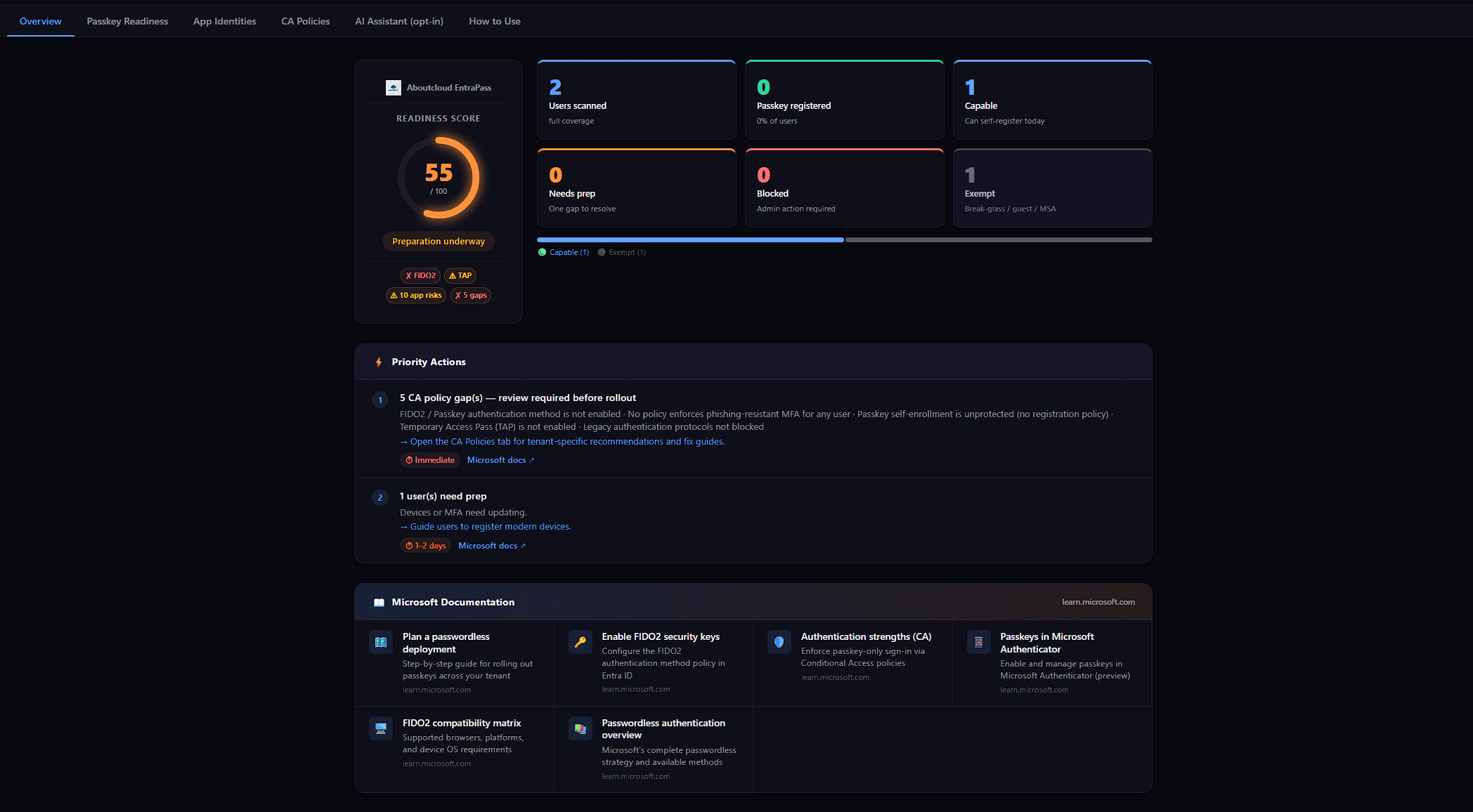
Announcing EntraPass: a passkey readiness scanner that refuses to lie about your tenant
When Microsoft pushed passkeys from future direction to deploy now, I started getting the same question from every IT lead I spoke to: Who in our tenant can actually adopt passkeys this week? And who can't, and why? It's a deceptively simple question. The tooling situation around it is not. The Entra admin portal has the answer spread across four blades. The Microsoft Graph API has the right primitives, but no single endpoint that combines them. The hosted SaaS scanners want either a privilege
By Antonio Russo