All Posts By Antonio RussoApril 24, 2026 · 18 min read
Zero Trust MCP: Exposing Securely a Remote MCP Server and authenticate with Windows Hello Passkey
By Antonio RussoApril 24, 2026 · 18 min read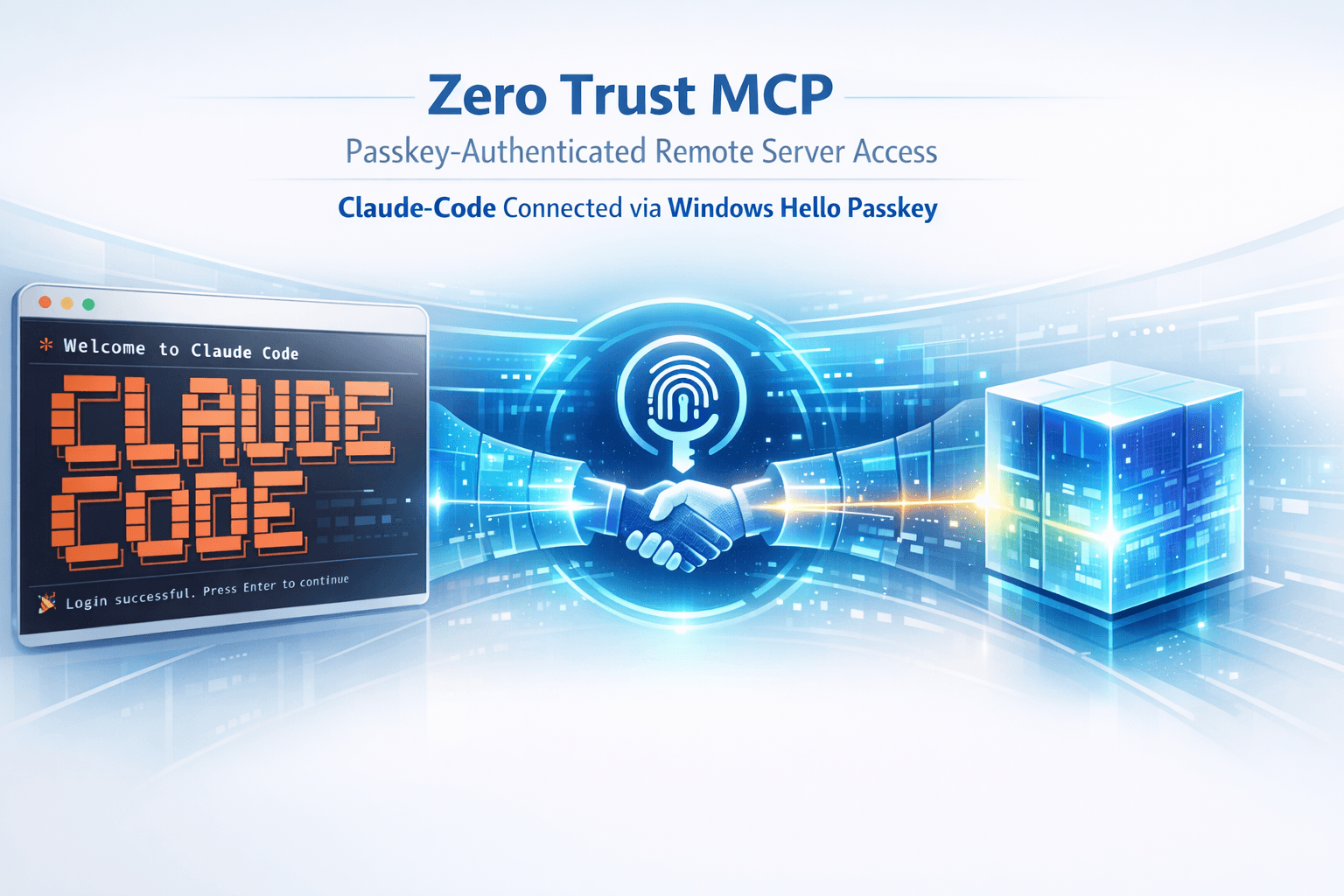
A practical guide to building a secure, passkey-authenticated Model Context Protocol gateway , with real infrastructure, real code, and real lessons learned on Windows 11 with PowerShell and a Terminal Session
Why This Matters
Claude Code is a powerful agentic coding assistant. Out of the box, MCP servers run locally via STDIO , meaning your GitHub tokens, API keys, and credentials sit on every machine where you run Claude. Scale that across workstations, add a second developer, or run Claude from a VM, and you have a credential sprawl problem.
This guide shows you how to build a zero trust MCP gateway: a hardened Linux server on an isolated VLAN that proxies GitHub's official MCP server, protected by passkey (WebAuthn/FIDO2) authentication, TLS, and JWT session tokens. Claude Code on Windows connects to it securely over SSE. Your secrets never leave the server.
A note about ENTRA ID
⚠️ What about ENTRA ID ? Microsoft has published guides on Entra-protected MCP servers, and it works well with VS Code. But Claude Code currently requires OAuth 2.1 Dynamic Client Registration , a feature Entra ID doesn't natively support. Until that gap closes, a custom passkey + JWT gateway is the more practical and battle-tested path for Claude Code on Windows.
Claude Github Issue as reference
What You Can Do With This Architecture
- Use Claude Code from any Windows machine on your network without storing credentials locally
- Rotate or revoke access instantly by restarting a single service
- Use Windows Hello, a YubiKey, or any FIDO2 authenticator as your second factor
- Extend the pattern to wrap any MCP server, not just GitHub
- Build a team MCP gateway where credentials are managed centrally
- Satisfy zero trust requirements: verify every connection, encrypt everything, least-privilege credentials
What this architecture protects against well
Network-layer attacks on the MCP itself. The VLAN isolation plus firewall rules mean only authorized hosts can reach the gateway. Caddy's HTTPS termination prevents passive sniffing. JWT validation at the gateway prevents unauthorized invocation even if someone got network access. This is solid.
Credential theft of the MCP-to-GitHub PAT. The PAT lives only on the gateway/MCP server, not on your Windows machine. If your laptop is compromised, the attacker gets the JWT (24h max) but not the PAT itself. They can call MCP tools for up to 24 hours, which is bad but bounded. They can't extract the GitHub PAT and use it from elsewhere.
Replay and session hijacking. Short JWT TTL plus WebAuthn for re-issuance means a stolen JWT has limited utility, and re-issuance requires physical possession of your authenticator. Strong.
Audit and visibility. You have a single point where every MCP call passes through (the gateway), which means you can log everything in one place. This is something most Claude Code users don't have at all.
Stack in Action 👇
0:00 /1:21 1×End Result 👇

The Zero Trust Principles Applied
Verify explicitlyEvery SSE connection requires a signed JWT issued after WebAuthn authenticationLeast privilegeGitHub PAT scoped to minimum permissions; runs as non-root service userAssume breachNetwork segmentation via dedicated VLAN; strict firewall rulesEncrypt in transitTLS on all browser-facing connections; Caddy as TLS terminatorNo implicit trustEven local network connections require an authentication tokenMy Demo Network Architecture ...and works ... at cost of 1GB RAM LXC

Architecture Overview
The solution has three components:
A — Claude Code (Windows, LAN) The MCP client. Connects to the gateway via SSE. Holds no credentials.
B — MCP Gateway (Linux VM, isolated VLAN) A Node.js process that exposes a JWT-protected SSE endpoint, validates WebAuthn passkey authentication, issues JWT tokens, and proxies MCP JSON-RPC to the official mcp-github server running as a child process.
C — GitHub MCP Server (upstream) The official mcp-github server. Runs on the gateway VM via STDIO. Uses a GitHub PAT stored only on the server.
Network Flow
Claude Code (Windows)
    │
    │ 1. HTTP GET /sse?token=<JWT>
    ▼
Caddy (reverse proxy, :8000 internal)
    │
    │ 2. Proxy with flush_interval -1
    ▼
MCP Gateway (Node.js :8000)
    │ validate JWT → send endpoint event
    │ 3. STDIO write
    ▼
mcp-github (Python, child process)
    │
    │ 4. HTTPS → api.github.com
    ▼
GitHub API
Authentication Flow
Browser (Edge / any modern browser)
    │
    │ 1. GET https://mcp.internal/auth
    ▼
Auth Page (served by gateway via Caddy HTTPS)
    │
    │ 2. WebAuthn ceremony
    │    Windows Hello, FIDO2 key, or platform authenticator
    ▼
Gateway verifies passkey signature
    │
    │ 3. Issues signed JWT (24h TTL)
    ▼
Browser triggers: claude-mcp://auth?token=<JWT>
    │
    │ 4. Windows URI handler (handler.ps1)
    ▼
Updates Claude Code config + launches Claude
    │
    │ 5. claude mcp add --transport sse ...?token=<JWT>
    ▼
Claude Code: github-remote √ connected
Prerequisites
Infrastructure
- A hypervisor supporting VLAN-tagged VMs (Proxmox, VMware, Hyper-V, or equivalent)
- A network firewall with VLAN support (OPNsense, FortiNet, Palo Alto , or equivalent)
- A dedicated VLAN for AI/MCP workloads
- A Windows machine running Claude Code
Software
- Linux VM or LXC container (Ubuntu 24.04 LTS used here)
- Node.js 20+ on the Linux VM
- Python 3.10+ on the Linux VM
- Claude Code on Windows:
npm install -g @anthropic-ai/claude-code - Microsoft Edge (for WebAuthn support)
- A GitHub Personal Access Token
Implementation Stack for this Demo
This guide used specific tools. The architecture is vendor-agnostic — any equivalent works.
HypervisorProxmoxVMware ESXi, Hyper-V, bare metalContainerLXCDocker, KVM VM, any LinuxFirewallOPNsensepfSense, Fortinet, Palo AltoTLS terminatorCaddy v2nginx, HAProxy, TraefikMCP gatewayNode.js + ExpressPython/FastAPI, Go/GinWebAuthn library@simplewebauthn/server v13fido2-lib, py_webauthnJWT libraryjsonwebtokenjose, python-joseMCP servermcp-server-githubAny MCP-compatible serverMCP clientClaude Code (Windows)Any MCP clientAuthenticatorWindows Hello / FIDO2YubiKey, Touch ID, AndroidPart 1: Network Isolation
1.1 Create a Dedicated VLAN
Create a VLAN for your AI workloads. Assign your gateway VM a static IP on this VLAN. The important principle: the gateway VLAN should have no inbound access from the internet, and controlled outbound access only to required services.
1.2 Firewall Rules
Configure your firewall with these rules (adapt syntax to your platform):
AllowTCPLANGateway VM8000Claude Code SSEAllowTCPLANGateway VM443Auth page HTTPSAllowTCPGateway VLANany443GitHub API outboundAllowTCP/UDPGateway VLANVLAN gateway53DNSBlockTCP/UDPGateway VLANany53Block external DNSBlock*anyGateway VLAN*Block all other inbound1.3 Provision the Linux VM
bash
# Static IP on Ubuntu 24.04 with netplan
cat > /etc/netplan/01-mcp.yaml << 'EOF'
network:
  version: 2
  ethernets:
    eth0:
      addresses:
        - 10.47.10.100/24
      routes:
        - to: default
          via: 10.47.10.1
      nameservers:
        addresses: [10.47.10.1]
EOF
netplan apply
Part 2: Gateway VM Setup
2.1 Create a Non-Root Service User
bash
useradd -r -s /bin/false -d /opt/mcp-wrapper mcp-svc
mkdir -p /opt/mcp-wrapper
chown -R mcp-svc:mcp-svc /opt/mcp-wrapper
The -r flag creates a system account with no login shell. Running the gateway as mcp-svc instead of root limits blast radius if the Node.js process is ever compromised.
2.2 Install Dependencies
bash
# Node.js 20+
curl -fsSL https://deb.nodesource.com/setup_20.x | bash -
apt install -y nodejs

# GitHub MCP server
pip install mcp-server-github --break-system-packages

# Verify
node --version    # v20+
which mcp-github  # /usr/local/bin/mcp-github
2.3 Node.js Dependencies
bash
cd /opt/mcp-wrapper
npm init -y
npm install express cors @simplewebauthn/server jsonwebtoken
Part 3: The MCP Gateway
3.1 Core Gateway Code
Save as /opt/mcp-wrapper/index.js. This is the complete backend — WebAuthn, JWT, SSE proxy, and MCP forwarding in a single file:
javascript
const { spawn } = require("child_process");
const express = require("express");
const cors = require("cors");
const crypto = require("crypto");
const jwt = require("jsonwebtoken");
const {
  generateRegistrationOptions,
  verifyRegistrationResponse,
  generateAuthenticationOptions,
  verifyAuthenticationResponse,
} = require("@simplewebauthn/server");

const PORT       = 8000;
const RP_NAME    = "MCP Secure Gateway";
const RP_ID      = "mcp.internal";         // Must match your hostname
const ORIGIN     = "https://mcp.internal";  // Must match browser origin for auth
const JWT_SECRET = process.env.JWT_SECRET || crypto.randomBytes(48).toString("hex");
const JWT_TTL    = "24h";

// In-memory credential store (single-user setup)
// Intentional: service restart = re-enrollment required = implicit token rotation
let registeredCredential  = null;
let registrationChallenge = null;
let authChallenge         = null;

// Spawn the official mcp-github server
const mcp = spawn("/usr/local/bin/mcp-github", [], {
  stdio: ["pipe", "pipe", "pipe"],
  env: { ...process.env, GITHUB_TOKEN: process.env.GITHUB_TOKEN },
});
mcp.stderr.on("data", (d) => console.error("[mcp-github]", d.toString().trim()));
mcp.on("exit", (c) => console.error("[mcp-github] exited:", c));

const clients = new Map();

// Forward mcp-github stdout to all connected SSE clients
let buffer = "";
mcp.stdout.on("data", (chunk) => {
  buffer += chunk.toString();
  const lines = buffer.split("\n");
  buffer = lines.pop();
  lines.forEach((line) => {
    const t = line.trim();
    if (!t) return;
    clients.forEach((client) => client.res.write(`event: message\ndata: ${t}\n\n`));
  });
});

const app = express();
app.use(cors());
app.use(express.json({ limit: "5mb" }));

// JWT validation middleware
function requireJWT(req, res, next) {
  const token = req.query.token ||
    (req.headers.authorization || "").replace("Bearer ", "");
  if (!token) return res.status(401).json({
    error: "No token. Authenticate at https://mcp.internal/auth"
  });
  try {
    req.user = jwt.verify(token, JWT_SECRET);
    next();
  } catch {
    res.status(401).json({ error: "Invalid or expired token" });
  }
}

// Auth status
app.get("/auth/status", (req, res) => {
  res.json({ registered: !!registeredCredential });
});

// Passkey registration
app.post("/auth/register/start", async (req, res) => {
  try {
    const options = await generateRegistrationOptions({
      rpName: RP_NAME,
      rpID: RP_ID,
      userName: "mcp-admin",
      userDisplayName: "MCP Admin",
      attestationType: "none",
      authenticatorSelection: {
        residentKey: "preferred",
        userVerification: "discouraged",
      },
    });
    registrationChallenge = options.challenge;
    res.json(options);
  } catch (e) { res.status(500).json({ error: e.message }); }
});

app.post("/auth/register/finish", async (req, res) => {
  try {
    const verification = await verifyRegistrationResponse({
      response: req.body,
      expectedChallenge: registrationChallenge,
      expectedOrigin: ORIGIN,
      expectedRPID: RP_ID,
    });
    if (!verification.verified) return res.json({ verified: false });
    registeredCredential = {
      id:        verification.registrationInfo.credential.id,
      publicKey: verification.registrationInfo.credential.publicKey,
      counter:   verification.registrationInfo.credential.counter,
    };
    registrationChallenge = null;
    console.log("[auth] passkey registered:", registeredCredential.id);
    res.json({ verified: true });
  } catch (e) { res.status(500).json({ error: e.message }); }
});

// Passkey authentication + JWT issuance
app.post("/auth/login/start", async (req, res) => {
  if (!registeredCredential)
    return res.status(400).json({ error: "No passkey enrolled." });
  try {
    const options = await generateAuthenticationOptions({
      rpID: RP_ID,
      userVerification: "discouraged",
      allowCredentials: [{ id: registeredCredential.id, type: "public-key" }],
    });
    authChallenge = options.challenge;
    res.json(options);
  } catch (e) { res.status(500).json({ error: e.message }); }
});

app.post("/auth/login/finish", async (req, res) => {
  if (!registeredCredential)
    return res.status(400).json({ error: "No passkey enrolled." });
  try {
    const verification = await verifyAuthenticationResponse({
      response: req.body,
      expectedChallenge: authChallenge,
      expectedOrigin: ORIGIN,
      expectedRPID: RP_ID,
      requireUserVerification: false,
      credential: {
        id:        registeredCredential.id,
        publicKey: registeredCredential.publicKey,
        counter:   registeredCredential.counter,
      },
    });
    if (!verification.verified) return res.json({ error: "Authentication failed" });
    registeredCredential.counter = verification.authenticationInfo.newCounter;
    authChallenge = null;
    const token = jwt.sign(
      { sub: "mcp-admin", iat: Math.floor(Date.now() / 1000) },
      JWT_SECRET,
      { expiresIn: JWT_TTL }
    );
    console.log("[auth] JWT issued");
    res.json({ token });
  } catch (e) { res.status(500).json({ error: e.message }); }
});

// SSE endpoint — JWT protected
app.get("/sse", requireJWT, (req, res) => {
  const sessionId = crypto.randomUUID();
  res.setHeader("Content-Type",  "text/event-stream");
  res.setHeader("Cache-Control", "no-cache");
  res.setHeader("Connection",    "keep-alive");
  res.flushHeaders(); // Critical — sends headers immediately
  // Relative path — resolves against whatever protocol Claude Code used
  res.write(`event: endpoint\ndata: /message?sessionId=${sessionId}\n\n`);
  clients.set(sessionId, { res, user: req.user });
  console.log(`[sse] connected: ${sessionId} user:${req.user.sub}`);
  req.on("close", () => {
    clients.delete(sessionId);
    console.log(`[sse] disconnected: ${sessionId}`);
  });
});

// Message endpoint — receives JSON-RPC from Claude Code
app.post("/message", (req, res) => {
  const sessionId = req.query.sessionId;
  if (!sessionId || !clients.has(sessionId))
    return res.status(400).json({ error: "Unknown sessionId" });
  mcp.stdin.write(JSON.stringify(req.body) + "\n");
  res.status(202).json({ status: "accepted" });
});

app.get("/health", (req, res) =>
  res.json({ status: "ok", secured: true, passkey: !!registeredCredential }));

app.listen(PORT, "0.0.0.0", () => {
  console.log(`[mcp-gateway] running on :${PORT}`);
  console.log(`[mcp-gateway] enroll passkey at https://mcp.internal/auth`);
});
The auth page HTML (served at /auth) contains the pixel art MCP robot UI, WebAuthn enrollment and authentication flows, and the claude-mcp:// URI trigger. It is embedded in the production index.js as a template literal assigned to AUTH_HTML and served via app.get("/auth", ...). See the full source in the repository.
3.2 systemd Service
bash
# Generate a strong JWT secret first
JWT_SECRET=$(openssl rand -hex 48)

cat > /etc/systemd/system/mcp-wrapper.service << EOF
[Unit]
Description=MCP Secure Gateway
After=network.target

[Service]
ExecStart=/usr/bin/node /opt/mcp-wrapper/index.js
Restart=always
User=mcp-svc
Environment="GITHUB_TOKEN=ghp_yourTokenHere"
Environment="JWT_SECRET=$JWT_SECRET"

[Install]
WantedBy=multi-user.target
EOF

systemctl daemon-reload
systemctl enable mcp-wrapper
systemctl start mcp-wrapper
systemctl status mcp-wrapper
Setting JWT_SECRET in the service file ensures tokens survive restarts. Without it, every restart generates a new random secret and invalidates all existing tokens.
Part 4: TLS with Caddy
4.1 Install Caddy
bash
apt install -y debian-keyring debian-archive-keyring apt-transport-https
curl -1sLf 'https://dl.cloudsmith.io/public/caddy/stable/gpg.key' | \
  gpg --dearmor -o /usr/share/keyrings/caddy-stable-archive-keyring.gpg
curl -1sLf 'https://dl.cloudsmith.io/public/caddy/stable/debian.deb.txt' | \
  tee /etc/apt/sources.list.d/caddy-stable.list
apt update && apt install caddy -y
caddy version
4.2 Generate an RSA Certificate
Caddy's tls internal generates ECC certificates. Windows Schannel (the TLS implementation used by most Windows applications) has known compatibility issues with ECC certificates from private CAs. Generate RSA instead:
bash
mkdir -p /etc/caddy/certs

openssl req -x509 -newkey rsa:4096 -sha256 -days 3650 \
  -keyout /etc/caddy/certs/mcp.key \
  -out    /etc/caddy/certs/mcp.crt \
  -nodes \
  -subj "/CN=mcp.internal" \
  -addext "subjectAltName=DNS:mcp.internal"

chown -R caddy:caddy /etc/caddy/certs
chmod 600 /etc/caddy/certs/mcp.key
4.3 Caddyfile
caddyfile
{
    admin off
    auto_https off
}

# HTTPS — serves the auth page for browser-based passkey flow
https://mcp.internal {
    tls /etc/caddy/certs/mcp.crt /etc/caddy/certs/mcp.key
    reverse_proxy /auth* http://127.0.0.1:8000
    reverse_proxy /health http://127.0.0.1:8000
}

# HTTP — SSE connection for Claude Code (JWT-authenticated, VLAN-isolated)
http://mcp.internal {
    reverse_proxy /sse* http://127.0.0.1:8000 {
        flush_interval -1
    }
    reverse_proxy /message* http://127.0.0.1:8000
}
The flush_interval -1 directive is critical for SSE. Without it, Caddy buffers responses and Claude Code never receives the endpoint event, causing the connection to time out silently.
The protocol split (HTTPS for auth, HTTP for SSE) is deliberate. Claude Code's internal SSE HTTP client has compatibility issues with self-signed certificates even when NODE_EXTRA_CA_CERTS is set at the process level. Since the VLAN provides network isolation and JWT provides authentication, HTTP on the internal SSE hop is an acceptable trade-off. If you have an internal CA that your machines already trust (Active Directory Certificate Services, for example), you can use HTTPS for both.
bash
systemctl restart caddy
systemctl status caddy
Part 5: Windows Configuration
5.1 Hosts Entry
powershell
# Run as Administrator
Add-Content -Path "C:\Windows\System32\drivers\etc\hosts" `
    -Value "10.47.10.100`tmcp.internal"
5.2 Import the TLS Certificate
Export the certificate from the VM:
bash
cat /etc/caddy/certs/mcp.crtImport on Windows (Administrator PowerShell):
powershell
$cert = @"
-----BEGIN CERTIFICATE-----
<paste your cert here>
-----END CERTIFICATE-----
"@
$cert | Out-File -FilePath "C:\caddy-ca.crt" -Encoding ASCII

# Import into Windows Trusted Root store
Import-Certificate -FilePath "C:\caddy-ca.crt" -CertStoreLocation Cert:\LocalMachine\Root

# Set NODE_EXTRA_CA_CERTS for Node.js applications
[System.Environment]::SetEnvironmentVariable(
    "NODE_EXTRA_CA_CERTS", "C:\caddy-ca.crt", "Machine")
5.3 Register the MCP Server
powershell
# Register the MCP server (without token initially)
claude mcp add --transport sse github-remote "http://mcp.internal/sse" --scope user

# Verify
claude mcp get github-remote
Part 6: Automation — The claude-mcp:// URI Scheme
This is what makes the workflow seamless. After authentication, the browser automatically triggers a custom URI scheme that updates Claude Code's config and relaunches it — no copy-pasting tokens.
6.1 Register the URI Scheme (Administrator PowerShell)
powershell
$handlerDir = "C:\claude-mcp"
New-Item -ItemType Directory -Force -Path $handlerDir | Out-Null

# Handler script — extracts JWT from URI and updates Claude Code
@'
param([string]$uri)
$token = $uri `
    -replace "^claude-mcp://auth/?\?token=", "" `
    -replace "^claude-mcp://auth\?token=", ""
$token = $token.Trim()
if (-not $token) { exit 1 }

$logFile = "C:\claude-mcp\handler.log"
"$(Get-Date) - Token received ($($token.Length) chars)" | Out-File -Append $logFile

& claude mcp remove github-remote --scope user 2>$null
& claude mcp add --transport sse github-remote `
    "http://mcp.internal/sse?token=$token" --scope user
"$(Get-Date) - Config updated" | Out-File -Append $logFile

Start-Process "claude"
"$(Get-Date) - Claude launched" | Out-File -Append $logFile
'@ | Out-File -FilePath "C:\claude-mcp\handler.ps1" -Encoding UTF8

# Batch wrapper (URI scheme requires an executable, not a .ps1)
@"
@echo off
powershell.exe -WindowStyle Hidden -ExecutionPolicy Bypass `
    -File "C:\claude-mcp\handler.ps1" "%1"
"@ | Out-File -FilePath "C:\claude-mcp\handler.bat" -Encoding ASCII

# Register in Windows registry
$regBase = "HKCU:\Software\Classes\claude-mcp"
New-Item -Path $regBase -Force | Out-Null
Set-ItemProperty -Path $regBase -Name "(Default)" -Value "Claude MCP Auth Handler"
Set-ItemProperty -Path $regBase -Name "URL Protocol" -Value ""
New-Item -Path "$regBase\DefaultIcon" -Force | Out-Null
Set-ItemProperty -Path "$regBase\DefaultIcon" -Name "(Default)" `
    -Value "C:\claude-mcp\handler.bat"
New-Item -Path "$regBase\shell\open\command" -Force | Out-Null
Set-ItemProperty -Path "$regBase\shell\open\command" -Name "(Default)" `
    -Value "`"C:\claude-mcp\handler.bat`" `"%1`""

Write-Host "URI scheme registered" -ForegroundColor Green

# Test it
Start-Process "claude-mcp://auth?token=test123"
Start-Sleep 2
Get-Content "C:\claude-mcp\handler.log"
6.2 Create the /authenticate Slash Command
powershell
$cmdDir = "$env:USERPROFILE\.claude\commands"
New-Item -ItemType Directory -Force -Path $cmdDir | Out-Null

@"
Open the MCP Gateway auth page to authenticate via passkey.

Run this in your shell:

``````powershell
Start-Process 'https://mcp.internal/auth'
``````

This opens the browser. Complete the passkey gesture (Windows Hello or FIDO2 key).
Claude Code will reconnect automatically with a fresh 24-hour token.
"@ | Out-File -FilePath "$cmdDir\authenticate.md" -Encoding UTF8
Now type /authenticate in Claude Code to trigger the flow.
Part 7: The Complete Flow
First-Time Setup (once per machine)
- Run all Windows configuration steps above
- Open
https://mcp.internal/authin Edge - Click Enroll Passkey — choose Windows Hello, a FIDO2 key, or your platform authenticator
- Complete the gesture
- Click Authenticate → Get Token — complete the gesture again
- The browser triggers
claude-mcp://auth?token=<JWT>automatically - Claude Code launches with
github-remote · √ connected
Daily Use
- Type
/authenticatein Claude Code chat - Run the
Start-Processcommand it provides (or just runStart-Process 'https://mcp.internal/auth'yourself) - Complete the passkey gesture in the browser
- Claude Code reconnects automatically — the whole flow takes under 10 seconds
Token Lifecycle
Tokens are valid for 24 hours. The passkey credential is stored in memory on the server — by design. A service restart invalidates all tokens and requires re-enrollment. This is intentional: it bounds token lifetime, eliminates persistent credential stores, and means scheduled maintenance implicitly rotates all sessions.
 Connected
Part 8: Hardening Checklist
The architecture described here is significantly more secure than the default local STDIO setup, but honest zero trust requires acknowledging gaps.
Implemented
- Network isolation: dedicated VLAN, strict firewall rules
- GitHub PAT server-side only — never on client machines
- WebAuthn/passkey authentication — cryptographically phishing-resistant
- JWT session tokens with 24-hour TTL
- Non-root service user (
mcp-svc) - TLS on the browser-facing auth page
Still to Harden
Credential persistence: The passkey is stored in memory. For production, persist to an encrypted file or a secrets manager. Consider node-keytar for OS keychain integration.
SSE over HTTP: Claude Code's SSE client has compatibility issues with self-signed certs. If your network has an internal CA that Windows already trusts, switch to HTTPS for the SSE endpoint too.
Single-user: Extend the credential store to a map keyed by username for team use.
Audit logging: Add structured logging with timestamps, user identities, and tool calls. Ship to a SIEM.
Rate limiting: Add express-rate-limit to the auth endpoints to protect against brute force.
GitHub PAT scopes: Use fine-grained PATs scoped to specific repositories and minimum permissions. Rotate on a schedule.
Troubleshooting
SDK auth failed: self signed certificate
Claude Code's Node.js process is not trusting the certificate:
powershell
# Check env var
[System.Environment]::GetEnvironmentVariable("NODE_EXTRA_CA_CERTS", "Machine")

# Set if missing
[System.Environment]::SetEnvironmentVariable(
    "NODE_EXTRA_CA_CERTS", "C:\caddy-ca.crt", "Machine")

# Fully restart Claude Code
Get-Process | Where-Object { $_.Name -like "*claude*" } | Stop-Process -Force
Start-Process "claude"
If this persists, Claude Code's SSE client may be ignoring the env var entirely. Use HTTP for the SSE connection as described in the Caddyfile section — the JWT still protects the endpoint.
SSE connects then immediately disconnects
Check Caddy logs for context canceled and verify flush_interval -1 is set:
bash
grep "flush_interval" /etc/caddy/Caddyfile
journalctl -u caddy -n 20 --no-pager | grep "aborting"
Also check that the endpoint event uses a relative path, not an absolute URL:
javascript
// Correct
res.write(`event: endpoint\ndata: /message?sessionId=${sessionId}\n\n`);

// Wrong — protocol mismatch causes immediate disconnect
res.write(`event: endpoint\ndata: https://mcp.internal/message?sessionId=${sessionId}\n\n`);
User verification required, but user could not be verified
Add requireUserVerification: false to the server-side verifyAuthenticationResponse call. Some Windows Hello configurations report UV as unavailable even when the user has completed a gesture.
URL corruption: sse?token=claude-mcp://auth?token=<JWT>
The URI handler has a regex issue. Update handler.ps1:
powershell
$token = $uri `
    -replace "^claude-mcp://auth/?\?token=", "" `
    -replace "^claude-mcp://auth\?token=", ""
Then run claude mcp remove github-remote --scope user to clear the corrupted entry, then re-authenticate.
Passkey saved to Microsoft Password Manager instead of Windows Hello
During enrollment, click "Choose a different passkey" on the Windows Security dialog and select "This device" (Windows Hello) rather than the Microsoft account option. Alternatively, remove the passkey from edge://settings/passwords/passkeys and re-enroll.
Service environment variables not loading
bash
# After editing /etc/systemd/system/mcp-wrapper.service
systemctl daemon-reload
systemctl restart mcp-wrapper

# Verify
systemctl show mcp-wrapper | grep "^Environment"
Conclusion
What started as a simple question — "how do I connect Claude Code to a remote MCP server?" — became a full zero trust architecture built and debugged in a single session.
The key insight is that MCP's SSE transport is standard HTTP. Anything you can apply to a secure HTTP endpoint — TLS, JWT authentication, network isolation, WebAuthn — applies directly. The result is an architecture where:
No credentials exist on client machines. Your GitHub PAT lives on the server, never in ~/.claude.json or any Windows process.
Every connection is verified. A passkey gesture produces a JWT. A valid JWT is required to open an SSE connection. The VLAN ensures nothing else can even reach the port.
The attack surface is minimal. One exposed port. One job: validate tokens and forward JSON-RPC. Nothing else to exploit.
The developer experience is seamless. /authenticate → passkey gesture → connected. Ten seconds. Invisible to the workflow.
This is what zero trust looks like for AI tooling: not a checkbox, but a layered architecture where every hop requires explicit verification, and no implicit trust is granted based on network location alone.
All code shown is from a real running implementation, built and documented in a single engineering session.
If you're running a similar setup or have questions, reach out in the comments or on LinkedIn.
— Antonio | AboutCloud
arusso@aboutcloud.io
Comments
You might also like
May 17, 2026
Announcing EntraPass: a passkey readiness scanner that refuses to lie about your tenant
When Microsoft pushed passkeys from future direction to deploy now, I started getting the same question from every IT lead I spoke to: Who in our tenant can actually adopt passkeys this week? And who can't, and why? It's a deceptively simple question. The tooling situation around it is not. The Entra admin portal has the answer spread across four blades. The Microsoft Graph API has the right primitives, but no single endpoint that combines them. The hosted SaaS scanners want either a privilege
By Antonio Russo
Apr 23, 2026
How to Securely Manage Any Firewall With an AI Agent and GitHub Action
Firewalls haven’t changed much in 20 years. They still expose a web UI, expect humans to click buttons, and rely on manual rule updates. What has changed is how we automate infrastructure — and how AI can reason about network events faster than any human. AI‑assisted infrastructure is no longer a future concept — it’s here. But when it comes to firewalls, the stakes are higher than anywhere else in your stack. A misconfigured rule can take down production, expose internal systems, or break VPNs
By Antonio Russo