All Posts By Antonio RussoMarch 25, 2026 · 4 min read
Beyond the Network Layer: Unified Risk Signals for Identity Protection in Microsoft Entra (Preview)
By Antonio RussoMarch 25, 2026 · 4 min read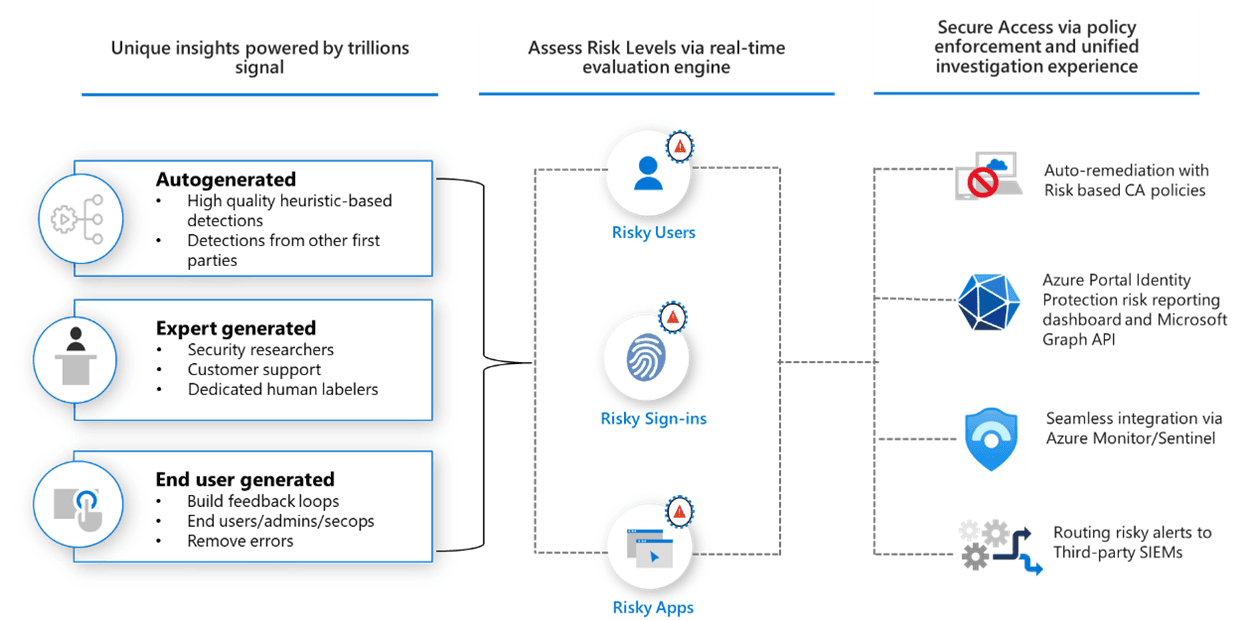
The problem this solves — the signal gap
Microsoft Entra ID Protection has always been good at detecting identity-specific risks — leaked credentials, impossible travel, anonymous IP addresses, suspicious sign-in patterns. But there was a blind spot. A user's device could be actively compromised, flagged as high risk in Microsoft Defender for Endpoint, and Entra ID Protection would have no idea. Your Conditional Access policies would not react. The user would continue accessing resources uninterrupted.
That blind spot is closing.
Unified Risk Signals for Identity Protection user risk — currently in public preview — bridges the gap between identity security and endpoint/cloud security. It pulls risk signals from Microsoft Defender XDR and even non-Microsoft sources into a single Identity Risk Score, which feeds directly into your existing Conditional Access policies.
No new policies needed. No separate dashboards. The same user risk condition you already use in Conditional Access now becomes significantly more informed.
What changes
Before unified risk signals, the Entra user risk level was calculated exclusively from identity signals — things ID Protection detected directly. A device compromise in Defender would sit in a separate silo.
After enabling unified risk signals, the Identity Risk Score aggregates across:
- Microsoft Entra ID Protection native detections
- Microsoft Defender for Endpoint device risk signals
- Microsoft Defender for Cloud Apps behavioural signals
- Microsoft Defender XDR cross-product detections including lateral movement and privilege escalation
- Non-Microsoft signals via the unified risk framework
When the Identity Risk Score rises — regardless of which product raised it — the Entra user risk level is elevated automatically. Your existing Conditional Access user risk policies trigger immediately.
How to enable it
Navigate to ID Protection → Settings in the Entra admin center.

Under Link unified risk signals for Identity Protection user risk (Preview), you have three options:
- Off — disabled, standard Entra-only risk signals
- Apply for all users — recommended, broadest coverage
- Apply to select users and groups — for phased rollout or pilot testing
Select your option and click Save.
Note: To receive unified risk signals from Microsoft Defender XDR, you need Microsoft Defender XDR configured in your tenant. For a standalone Entra Suite test environment without Defender, enabling the setting is still valid — you will receive any available signals, and the feature will activate fully when Defender is added.
What you see after enabling
Once enabled, open ID Protection → Risky users. The report now surfaces the Identity Risk Score alongside the standard Entra risk level. You can see which signal source triggered the elevation and what the contributing detections were.
This gives Identity and Security Operations teams a shared view — the same risky user visible in both Entra and Defender XDR, with consistent context on both sides.
Important : legacy risk policies retiring October 2026
If you are currently using the legacy User risk policy and Sign-in risk policy directly inside ID Protection, note that both retire on October 1, 2026. Migration to Conditional Access is required. Enabling unified risk signals while migrating is the ideal timing — you modernise the policy and expand your signal coverage in one step.
Licensing
Microsoft Entra ID P2 is required — included in the Microsoft Entra Suite. Defender-sourced signals require the appropriate Defender license for the product generating the signal.
Wrapping up
Unified Risk Signals is a quiet but significant capability. It does not change how Conditional Access policies work. It does not require new reports or new workflows. It simply makes the risk score that drives all your existing policies dramatically more accurate — by feeding it signals from across the entire Microsoft Security stack rather than identity alone.
For organizations already invested in Microsoft Defender alongside Entra, this is one setting, one saves, and a materially stronger identity security posture.
If you're running a similar setup or have questions, reach out in the comments or on LinkedIn.
— Antonio | AboutCloud
arusso@aboutcloud.io
Tags
Comments
You might also like
Aug 25, 2026
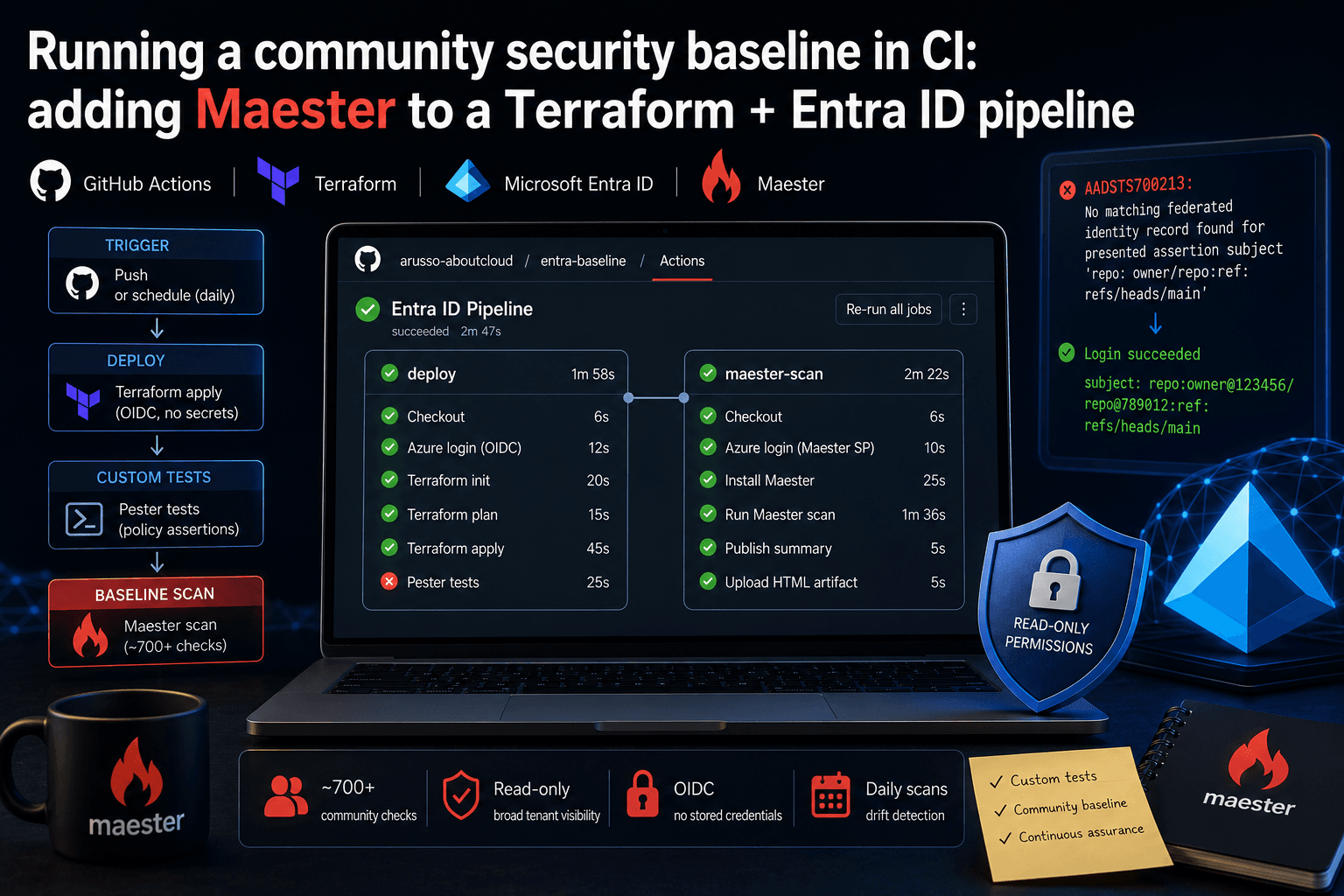
Running a community security baseline in CI: adding Maester to a Terraform and Entra ID GitHub Actions pipeline
Keeping Microsoft Entra ID secure requires constant vigilance. As security configurations, Conditional Access policies, and Privileged Identity Management (PIM) rules evolve, configuration drift becomes an inevitable risk. Manual quarterly reviews leave too much room for silent m
By Antonio Russo

Aug 12, 2026
Entra Tenant Governance hits GA: what it actually solves and where it sits in your 2026 stack
A practical read for engineering and governance teams , the actual API surface, the limits that shape your design, and an honest comparison against Microsoft365DSC | Tenant Configuration Management APIs, Maester, ScubaGear and Azure Policy. If you run identity for an organization of any size, you have two lists. The list of tenants you manage, and the list of tenants that exist. They are not the same list, and the gap between them is where incidents start. On 10 August, Microsoft moved Entra T
By Antonio Russo