All Posts By Antonio RussoAugust 12, 2026 · 11 min read
Entra Tenant Governance hits GA: what it actually solves and where it sits in your 2026 stack
By Antonio RussoAugust 12, 2026 · 11 min read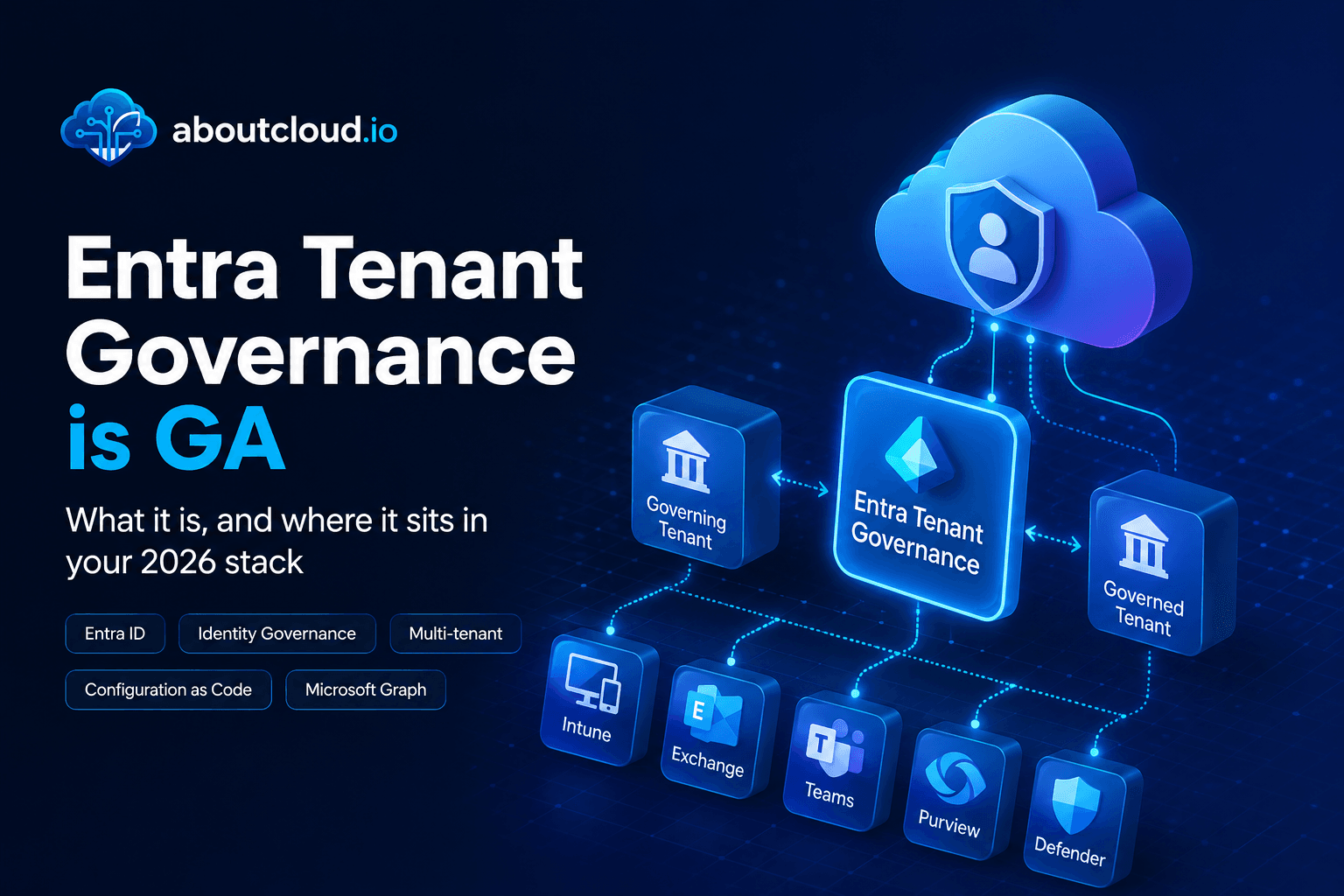
A practical read for engineering and governance teams , the actual API surface, the limits that shape your design, and an honest comparison against Microsoft365DSC | Tenant Configuration Management APIs, Maester, ScubaGear and Azure Policy.
If you run identity for an organization of any size, you have two lists. The list of tenants you manage, and the list of tenants that exist. They are not the same list, and the gap between them is where incidents start.
On 10 August, Microsoft moved Entra Tenant Governance to general availability. It is worth paying attention to, not because the announcement is exciting, but because it is the first time Microsoft has shipped a supported, first-party mechanism for declaring and monitoring tenant-level desired state across Entra, Intune, Exchange Online, Teams, Purview and Defender.
That is a capability the community has been building by hand for years. This post is about what the platform now gives you, what it demands from you in return, and where it sits alongside the tooling you already run.

What it actually is

A control plane : the governance relationship. A new directory object representing a one-way link between a governing tenant and a governed tenant. It carries least-privilege cross-tenant role assignments (GDAP-style) and, at the higher tier, the ability to inject your own multi-tenant application into the governed tenant for automation. Relationships are created through an invitation and approval flow that both sides must participate in, and they are defined by reusable policy templates so you can request the same permission set across twenty tenants without hand-rolling each one.
Two things engineers should note immediately. First, this replaces the guest-account-and-PIM pattern most people use for cross-tenant admin , no second identity, no credential sprawl. Second, a policy snapshot is captured and frozen at relationship creation time, so updating a template does not retroactively update existing relationships. Template changes are a fan-out job you own.
A data plane : the Tenant Configuration Management (TCM, originally UTCM) APIs in Microsoft Graph. This is the part that matters most for engineering teams, because it is a real API surface, not a portal feature:
configurationSnapshotJob— asynchronous extraction of current tenant state, returning a downloadable JSON documentconfigurationMonitor— a baseline plus a schedule; compares live state against declared stateconfigurationMonitoringResult— per-run summary (duration, status, drift count)configurationDrift— the delta itself, property by property, per resource
Around those sit related tenants (discovery via B2B traffic, multi-tenant app permissions, and shared billing accounts) and secure tenant creation (control who can spin up add-on tenants, auto-attach a governance relationship, and retain a recovery path to admin access through the Entra asset in your billing account).
There is also a dedicated role family rather than a Global Admin free-for-all , Tenant Governance Administrator and Tenant Governance Reader among them ,which makes the auditor/operator split cleanly assignable. And every governance action is written to the Entra audit log in both the governing and the governed tenant, which is the right design for a capability that grants cross-boundary power.
The limits are the design constraints
This is the section to read before you plan anything. These numbers will shape your architecture more than any feature will:
Monitor execution intervalFixed at 6 hours — not configurableMonitors per tenant30Resource instances per baseline200Resource instances evaluated per tenant per day800 across all monitorsSnapshot extraction quota20,000 resources per tenant per month, cumulativeSnapshot retention7 days, then deletedResolved drift retention30 days after being marked fixedBaseline update behaviourDeletes all prior monitoring results and drifts for that monitorFour engineering consequences fall straight out of that table.

Snapshots are ephemeral. Build the export job first. A seven-day retention window means the snapshot is a transport mechanism, not a system of record. Your day-one deliverable is a scheduled job that creates the snapshot, polls the job to completion, downloads the JSON from the returned resource location, and commits it to your own store. If your compliance story depends on "we can show what the tenant looked like in March," that store is where the story lives , not in Microsoft's service.
Baselines belong in version control, not in the portal. Baselines are plain JSON and , importantly , the same baseline file can be reused to create monitors in different tenants. That is the config-as-code seam. Git repo, PR review, environment overlays, pipeline that pushes monitors via Graph. Treat portal-authored monitors as prototypes only, because of the next point.
Updating a baseline is destructive to history. Changing the baseline on an existing monitor wipes its accumulated results and drift records. That makes baseline changes a governance event, not a casual edit. Version your baselines externally, snapshot the drift state before you push a change, and consider creating a new monitor alongside the old one rather than mutating in place when the change is significant.
Evidence retention is your problem. Fixed drifts vanish 30 days after remediation. If drift-and-remediation history is audit evidence for you , and for most regulated organisations it will be , you need it exported to a SIEM or a log store on a cadence comfortably inside that window.
One deployment prerequisite that catches people: monitors execute under a dedicated Microsoft-published service principal for Tenant Configuration Management, which has to exist in the tenant and be granted the appropriate app roles. Permission setup is a real step, not an afterthought, and Microsoft added portal experiences at GA specifically because people were getting it wrong.
How it stacks in 2026
The honest question for most teams is not "should we look at this" but "what does it replace, and what does it sit beside." Here is my read:
 Microsoft365DSCCommunity-driven desired state config for M365/Entra with export, drift detection and remediation, via PowerShell DSCClosest overlap, and the project itself treats the TCM APIs as the official supported direction. Today DSC still wins on remediation and breadth of resource coverage. Long term, expect convergence.MaesterPester-based security test framework for Entra, with opinionated checks against known-good practiceComplementary, not competing. Maester tells you whether your config is good. Tenant Governance tells you whether it is what you declared. Both matter; neither substitutes for the other.ScubaGear / CISA SCuBAAssessment against a published external baselineSame distinction. SCuBA gives you someone else's opinion as a benchmark; Tenant Governance enforces your own decisions. Many teams will use SCuBA output as an input to authoring their baseline.Azure PolicyDesired state and enforcement for Azure resources at management group / subscription scopeDifferent plane entirely. Azure Policy has never covered Entra or M365 workload settings. Tenant Governance is the missing equivalent above the subscription boundary — though detection-only for now.Azure LighthouseCross-tenant delegated management of Azure resourcesAdjacent. Lighthouse is subscription-scoped Azure; governance relationships are tenant-scoped Entra and M365. Large estates will run both.Partner Center GDAPDelegated admin for CSP partner-to-customer relationshipsSame underlying least-privilege model, different commercial context. Governance relationships bring the pattern to enterprise self-governance and to MSSPs via the Defender multi-tenant experience.SSPM / compliance platformsContinuous posture monitoring and evidence collection across SaaSPartially displaced for the Microsoft estate. If you bought one primarily for M365 drift detection and audit evidence, the renewal conversation just got more interesting.
The one-line summary: Tenant Governance is not a security benchmark and not a remediation engine. It is a declared-state and drift-detection substrate with a cross-tenant permission model attached. Its value is that it is first-party, supported in production, API-driven, and works across tenants you do not own outright , which is exactly the combination the community tooling could never quite deliver.
The operating model this implies
The reason this needs both engineering and governance people in the room is that the work splits cleanly and neither half works alone.
Governance owns the baseline content. Which of the 200-plus resource types are in scope. Which properties are load-bearing. What counts as an approved exception. Which tenants are in the governance perimeter and which are accepted risk. A baseline is a written record of risk decisions, and a snapshot taken from production is emphatically not one , it captures every accident along with every intention. Curating a snapshot down to a defensible baseline is the actual work, and it is not an engineering task.
Engineering owns the machinery. The Graph integration, the baseline repo and its review process, the snapshot export pipeline, the drift feed into ticketing and SIEM, the fan-out of monitors across governed tenants, and the remediation runbooks. Remediation is not in the product today , drift is reported, you fix it with whatever tool you like, and the next six-hourly run marks it resolved. That "whatever tool you like" is a pipeline someone has to build.
The 200-instances-per-baseline and 800-per-day ceilings are the forcing function that keeps this honest. You cannot monitor everything, so you have to decide what matters. In my view that is a feature, not a limitation , it pushes the conversation to where it belongs.
Licensing, briefly
Two service levels. Tenant Governance Basic lands at Entra ID P1 or equivalent and covers the bulk of the product: governance relationships with cross-tenant GDAP, configuration monitoring, drift reporting and snapshots. Tenant Governance Premium requires Entra ID Governance, Entra Suite or Microsoft 365 E7, and adds related-tenants discovery, custom multi-tenant app injection, and higher quotas. Secure tenant creation with a governance relationship is available at no cost.
Note the shape of that split: discovery ,the capability that answers "what tenants do we actually have?" ,is Premium-only. P1 gets you the tools to govern the tenants you already know about. Finding the ones you don't is the paid uplift.
A word of caution on the details: at time of writing, parts of the Learn documentation still carry preview banners and an older P1/P2/ID Governance feature table that predates the Basic/Premium naming, and the GA blog cites higher limits than the licensing page lists. Verify the specific numbers against the docs on the day you plan your rollout rather than trusting any blog post , including this one.
A realistic first month

- Enable secure tenant creation. Free, preventative, and it stops the estate growing while you deal with the existing backlog.
- Stand up the export pipeline before the first baseline. Snapshot job → poll → download → commit. Seven days of retention is not a system of record and you do not want to learn that during an audit.
- Snapshot your primary tenant as an artefact, not a baseline. It has independent audit value on day one, and it is the raw material for step 4.
- Curate one baseline with governance in the room. Pick a single domain , Conditional Access, or Intune compliance policies , and cut it down to properties you are prepared to defend. Aim well under the 200-instance ceiling.
- Run the full loop against one non-production tenant. Relationship, monitor, deliberate drift, detection, remediation, resolution. You will learn more about the operating model in that one cycle than from any evaluation matrix.
- Then decide on Premium. By that point you will know whether discovery is your bottleneck or whether you already have a good enough inventory.
Bottom line
Tenant Governance does not solve the multi-tenant problem. Discovery is signal-based, so a tenant with no B2B traffic, no shared app permissions and no shared billing stays invisible. Detection without remediation means the last mile is still yours. And the quotas are tight enough that you will be prioritising from day one.
But the shape is right, and the shape is what has been missing. Declared state instead of tribal knowledge. Cross-tenant least privilege without a second set of credentials. Audit trails on both sides of the boundary. A real Graph API rather than a portal blade. Those are the properties that let a governance programme survive the person who built it leaving.
Build the export pipeline. Put the baselines in git. Let governance decide what goes in them.
Sources: Microsoft Entra Tenant Governance is now generally available (Microsoft Entra Blog); Tenant Governance overview, configuration management and licensing on Microsoft Learn; Tenant Configuration Management APIs and Tenant Governance APIs in Microsoft Graph. Limits and retention values accurate as of publication
If you're running a similar setup or have questions, reach out in the comments or on LinkedIn.
— Antonio | AboutCloud
arusso@aboutcloud.io
Comments
You might also like
Jul 16, 2026
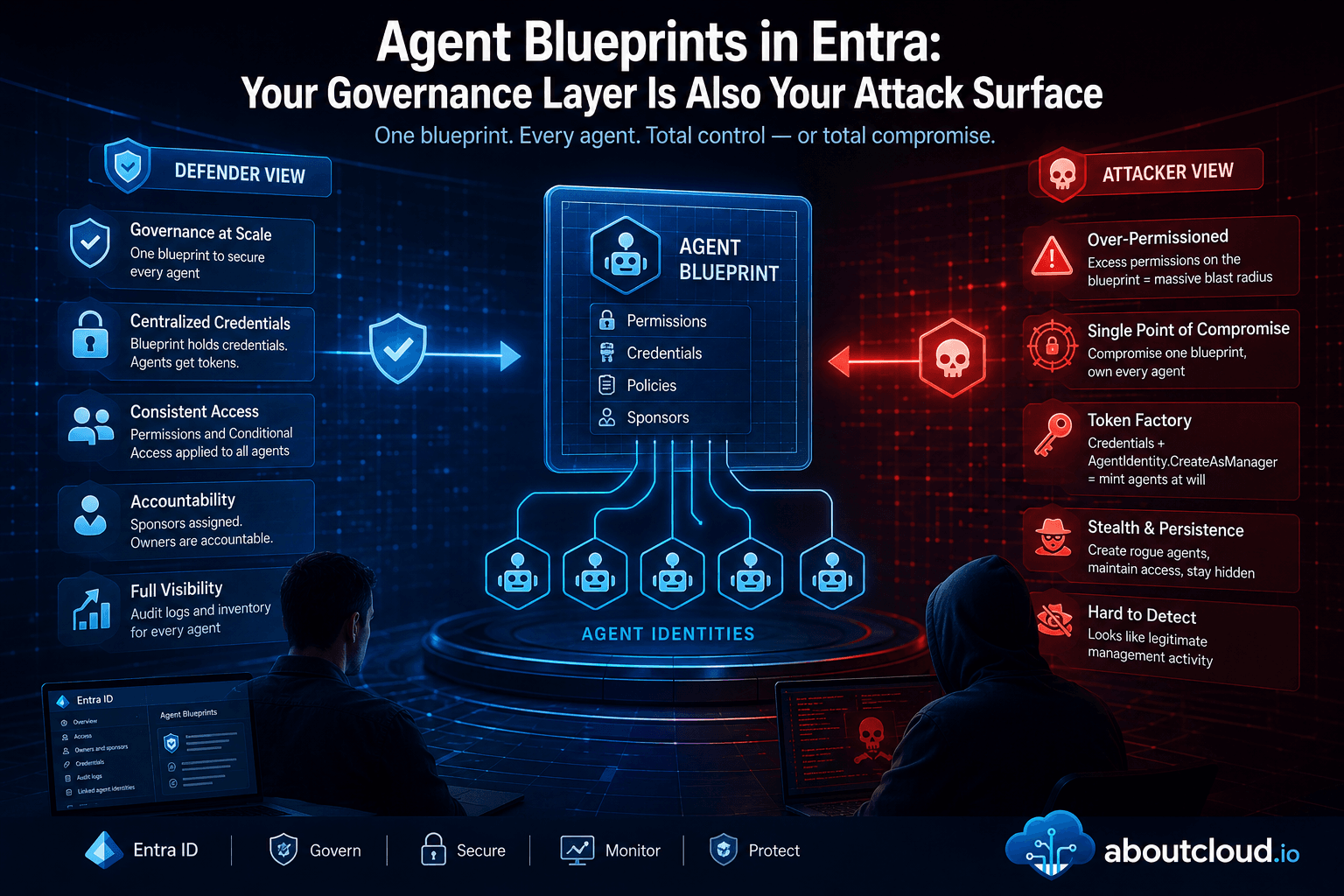
Agent Blueprints in Entra: Your Governance Layer Is Also Your Attack Surface
Preview note. Microsoft Entra Agent ID and agent blueprints are evolving quickly. The admin center navigation, the manifest editor, and the classic-vs-modern agent distinction were all in preview when this was written. Screenshots are timestamped; treat the UI as a moving target and verify against current Microsoft Learn docs before acting on anything here. AI agents are already in your tenant. Not as a roadmap item. Right now. A sales manager wires up a Copilot Studio agent that reads SharePoi
By Antonio Russo
May 5, 2026
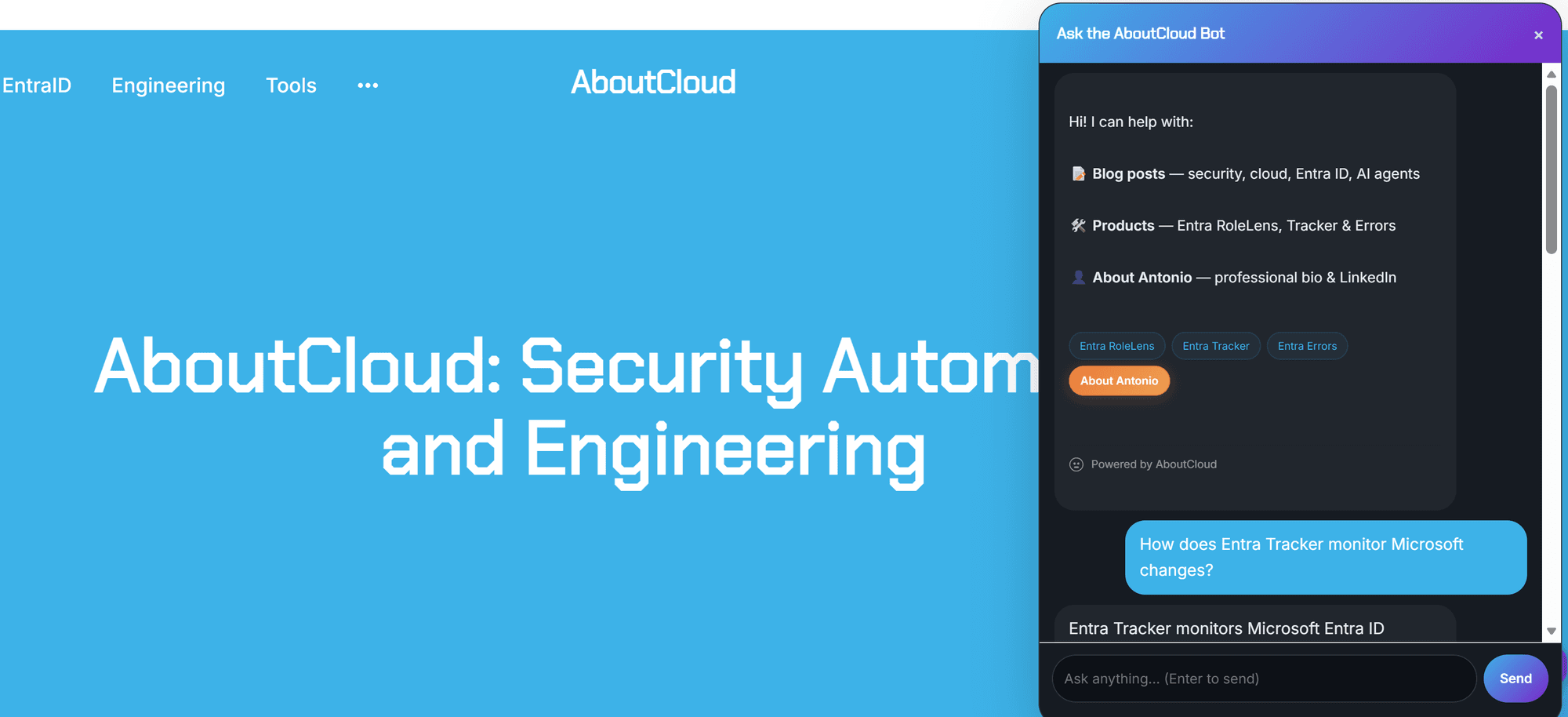
Meet "Ask AboutCloud" . An AI chatbot for the blog and the ENTRA ID Community , with safety receipts
This is nothing new in the Tech world.....but if you've visited the blog in the last few days, you've probably noticed a small chat bubble in the bottom-right corner. That's Ask AboutCloud Bot, a new feature I've been quietly cooking up: a semantic search engine and RAG (Retrieval Augmented Generation) chatbot that can answer questions about every post on this blog, plus the three free Entra ID tools I maintain. As well anything related to ENTRA ID in general and Internet searches . It runs end
By Antonio Russo