All Posts By Antonio RussoMarch 13, 2026 · 9 min read
The cost trap: Running Claude as Your 24/7 Admin: How to Keep It Affordable
By Antonio RussoMarch 13, 2026 · 9 min read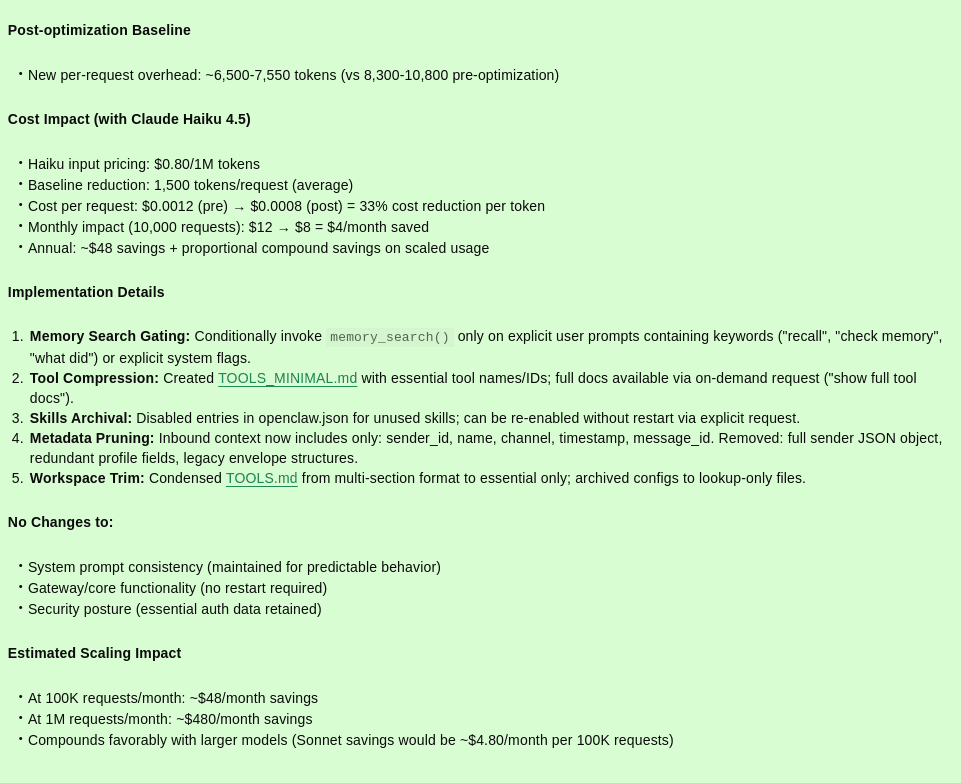
When most people think about AI assistants, they imagine a chat interface on a browser tab. I went a different route: I wanted an AI agent that lives on my own infrastructure, responds on WhatsApp, and can actually do things . SSH into servers, restart services, check logs, perform security audit, firewall management and manage Ghost blog, Mail stack, Next Cloud and the Hypervisor | Containers stack (LXC) — all without me opening a single terminal.
That's OpenClaw. And after running it in production on my hybrid Cloud | self-hosted Proxmox stack, I want to share what I learned about making it both powerful and cost-efficient.
What Is OpenClaw?
OpenClaw is an open-source, self-hosted AI agent gateway. You run it on your own server, connect it to a messaging channel (WhatsApp, Telegram, Discord, and more), and wire it up to an LLM provider of your choice | Claude, GPT-4, Gemini, or even local models via Ollama.
What makes it different from a chatbot is that it takes action. It can run shell commands, make API calls, read and write files, and manage your infrastructure — all triggered from a WhatsApp message.
The project has exploded in popularity, crossing 150,000+ GitHub stars in just weeks. The appeal is simple: personal AI that runs on your hardware, with your data, on your terms.
My Setup: OpenClaw as a Full Sysadmin
My infrastructure runs entirely self-hosted | hybrid cloud on Proxmox, with OpenClaw deployed in its own LXC container. Here's what it manages:
Hypervisor, Containers and Networking — via API token (aboutclaw@pve!openclaw) and SSH key. OpenClaw can create/destroy LXCs, check resource usage, manage snapshots, run apt upgrade on the host, and tail logs — all from WhatsApp.
Mail and Collaboration stack — via REST API and SSH. It can manage mailboxes, flush mail queues, check DKIM/SPF status, and restart Docker containers. As well gradually starting with Next Cloud too.
Ghost CMS — via Ghost Admin API and SSH. It can publish posts, manage members, check Ghost health, and restart the service.
And more.....
All the services are connected with the same SSH key, consistent API tokens, and a carefully scoped allowlist that permits only my WhatsApp number to issue commands.
The result: I can send a message to myself on WhatsApp like "snapshot all VMs before tonight's update" and it happens — automatically, correctly, with a confirmation reply.
The Cost Trap: Why Model Choice Matters
When I first set up OpenClaw, I was using Google Gemini (free tier). It worked, but I wanted something more capable — specifically Claude, which I already knew was exceptional for infrastructure and coding tasks.
So I switched to Claude Sonnet 4.6 via the Anthropic API.
Within minutes, I had spent $3.14 on just 2–3 test conversations.
This wasn't a billing error. It was a wake-up call about how agentic AI actually consumes tokens.
Understanding the Real Cost: It's Not Just Your Message
When you send a WhatsApp message to OpenClaw, your few words are the smallest part of what gets sent to the API. Every request includes:
System instructions + rules~2,500Workspace files (SOUL.md, MEMORY.md, TOOLS.md, AGENTS.md…)~3,000Available tools and skills list~1,500Memory search context~500–2,000Channel metadata + runtime info~800Your actual message~50–200Total per request~8,300–10,000 tokensAt Sonnet pricing ($3 input / $15 output per million tokens), each message was costing roughly $0.03–0.05 in input alone — before any response. With a verbose response including code, commands, and confirmations, output tokens pushed single exchanges well past $0.50–1.00.
The Fix: A Two-Part Optimization Strategy
Part 1 — Choose the Right Model
I switched from Sonnet 4.6 to Claude Haiku 4.5 (claude-haiku-4-5-20251001).
Haiku costs $1 input / $5 output per million tokens — 5x cheaper than Sonnet. For sysadmin tasks — running commands, checking logs, restarting services — Haiku performs at roughly 90% of Sonnet's capability. The trade-off is negligible for structured, well-defined tasks.
Switching models in OpenClaw is a single command:
/usr/bin/openclaw gateway stop
/usr/bin/openclaw models set anthropic/claude-haiku-4-5-20251001
/usr/bin/openclaw gateway start
Part 2 — Reduce Token Overhead
This is where the real savings are. I asked the bot to analyse and optimise its own context — and it delivered a step-by-step plan:
Step 1 — Trim TOOLS.md The workspace file containing infrastructure credentials and tool references was verbose. Condensing it to essentials (while preserving all necessary data) saved ~200 tokens per request.
Check your current file size first:
wc -c ~/.openclaw/workspace/TOOLS.mdThen edit directly and remove any redundant comments, whitespace, or duplicate entries:
nano ~/.openclaw/workspace/TOOLS.mdStep 2 — Gate memory search by default, OpenClaw performs a memory search on every message. Gating this to only trigger on explicit recall requests saved ~500–800 tokens per routine interaction.
Step 3 — Compress tool descriptions The tool list loaded into every prompt was comprehensive but bloated. Switching to minimal descriptors (with full docs available on demand) saved another ~150–200 tokens.
Step 4 — Archive unused skills I had openai-image-gen, openai-whisper-api, and nano-banana-pro installed but inactive. Archiving these removed ~200–300 tokens of skill descriptor overhead per message. ls ~/.openclaw/agents/main/skills/
Step 5 — Prune inbound metadata Retaining only essential context (sender, channel, timestamp) and removing redundant envelope fields saved another ~200–300 tokens.
Total reduction: ~1,250–1,800 tokens per request — a 15–20% drop in baseline context.
The Results
Combined — model switch + context optimisation — the cost profile transformed dramatically:
Sonnet 4.6, unoptimised~$0.50–1.00Haiku 4.5, unoptimised~$0.10–0.20Haiku 4.5, optimised~$0.03–0.07On a $20/month API budget, this means:
- Before: ~20–40 meaningful conversations
- After: ~285–650+ meaningful conversations
For a personal sysadmin agent handling real infrastructure, that's essentially unlimited for daily use.
🔍 Click to enlargeKeeping It Optimised: A Monthly Maintenance Routine
The optimizations above are mostly one-time config changes — but some things drift over time. Every time you add a new integration, update OpenClaw, or connect a new service, workspace files grow and new skills get added. Left unchecked, your token baseline slowly creeps back up.
The two approaches: a simple cron job that logs file sizes, so you spot the drift early, or just asking the bot to audit itself once a month.
Option A — OpenClaw native cron (recommended)
OpenClaw has its own built-in cron scheduler. Use it instead of a bash script — it integrates directly with the agent, uses its logging, and delivers the report straight to your WhatsApp. Ask the bot to set it up:
Set up a monthly OpenClaw native cron job with the following parameters:
- Schedule: 0 0 1 * * (1st of each month at midnight UTC)
- Action: run a full token audit — check workspace file sizes, agent files, session store, installed skills
- Alert threshold: flag any file over 500 bytes that grew more than 10% since last month
- Report: send summary to me via WhatsApp
Confirm once scheduled.
The bot will configure the cron natively, no shell scripting required. On the 1st of each month, you'll receive a WhatsApp summary automatically.
Option B — Let the bot audit itself :
Send this to OpenClaw on WhatsApp once a month:
Run a token audit. Check sizes of all workspace and agent files.
Flag anything over 500 bytes that has grown since last month.
List all installed skills and identify any unused ones.
Suggest what to trim.
This is the more powerful approach — the bot can compare against its own memory of previous states and give you actionable recommendations rather than raw numbers.
What to watch for:
TOOLS.mdgrowing past 2,000 bytes → time to trim- New skills appearing after an
openclaw update→ review and archive unused ones - Session store growing past 1MB → consider pruning old sessions
Key Takeaways for the Community
If you're running OpenClaw in a production environment, here's what I'd recommend:
1. Start with Haiku, escalate to Sonnet only when needed. For shell commands, API calls, status checks, and routine automation, Haiku is more than sufficient. Reserve Sonnet for complex multi-step reasoning tasks.
2. Audit your workspace files early. TOOLS.md, MEMORY.md, SOUL.md — these load on every request. Keep them lean. Use wc -c ~/.openclaw/workspace/*.md to check sizes regularly.
3. Gate memory search. Unless you need persistent recall across sessions, disable automatic memory search. Enable it on demand.
4. Clean up unused skills. Every skill descriptor adds tokens. Only keep what you actively use.
5. Set a spend limit. In console.anthropic.com, set a monthly cap and an email notification at 75% of your budget. You don't want your agent going silent mid-month.
6. Use the agent to optimize itself. Ask OpenClaw to analyze its own token usage and suggest improvements. It knows its config better than you do from the outside.
Security Note
Running an AI agent with SSH access to production infrastructure is powerful — and carries real risk. My hardening:
- WhatsApp allowlist: only my number can issue commands
- No public exposure of port 18789 (loopback only, behind OPNsense)
- Dedicated SSH key (
aboutclaw@openclaw) with ed25519, separate from human keys - Scoped API tokens (PVEAdmin, not root-level Administrator)
- LXC isolation — OpenClaw runs in its own container, not on the Hypervisor (Proxmox) host
Conclusion
OpenClaw turns your self-hosted infrastructure into something you can actually talk to. Combine it with Claude Haiku, a few hours of context optimisation, and sensible security hardening, and you get a production-grade AI sysadmin for a few dollars a month.
The technology is genuinely remarkable. The cost management just requires understanding how token context works — and being intentional about what you load into every request.
If you're running a similar setup or have questions, reach out in the comments or on LinkedIn.
— Antonio | AboutCloud
arusso@aboutcloud.io
 That's my bot 😄
Tags
Comments
You might also like
Aug 25, 2026
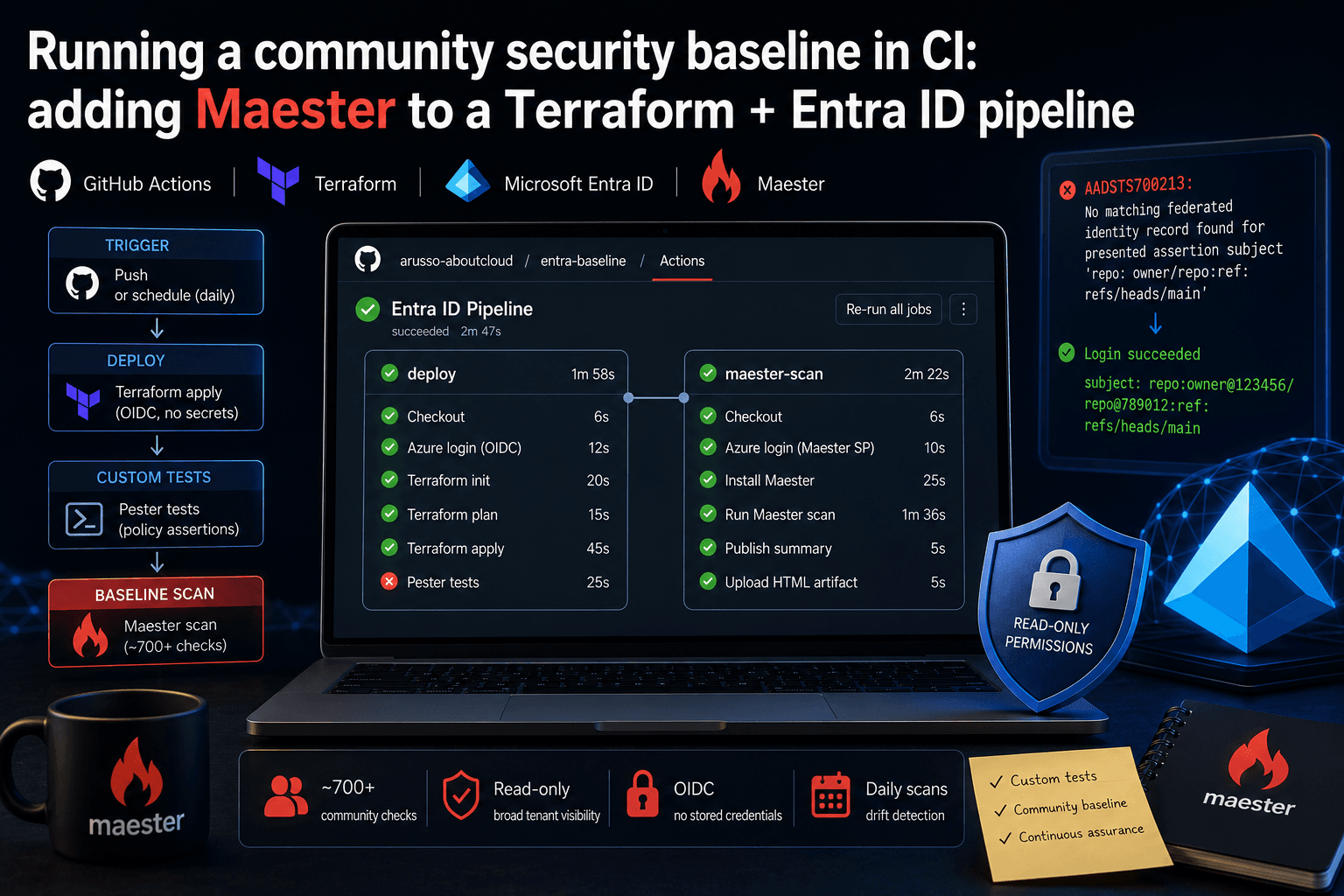
Running a community security baseline in CI: adding Maester to a Terraform and Entra ID GitHub Actions pipeline
Keeping Microsoft Entra ID secure requires constant vigilance. As security configurations, Conditional Access policies, and Privileged Identity Management (PIM) rules evolve, configuration drift becomes an inevitable risk. Manual quarterly reviews leave too much room for silent m
By Antonio Russo

Jul 8, 2026
PKI for Entra ID Professionals: The Skill Job Listings Assume You Have
Open ten job listings for "Entra ID Engineer" or "IAM Specialist" and count how many mention certificates, PKI, or AD CS. In my experience it's most of them usually buried in the "nice to have" section, sometimes as a hard requirement. Yet PKI is exactly the topic most identity professionals have learned to route around: it lived with the "certificate person," some server team, or a vendor. That arrangement is ending. Identity teams now own certificate-based authentication, passwordless rollout
By Antonio Russo