All Posts By Antonio RussoMarch 11, 2026 · 9 min read
How I Built a Private Cloud Automated Platform on Proxmox from Zero to Production with Openclaw
By Antonio RussoMarch 11, 2026 · 9 min read
 🔍 Click to enlarge
When most people think about launching a blog or a company website, the default answer is a managed SaaS platform or a shared hosting provider. I went a different way. This post documents the architecture I built to run aboutcloud.io — a fully self-hosted, production-grade blog platform running on Proxmox, with Cloudflare at the edge and Ghost as the CMS.
This is not a tutorial. It's an architectural overview — the kind of post I would have wanted to read before starting.
Why Self-Hosted? Why hybrid cloud?
The reasons are practical rather than ideological. I wanted full control over the stack, no vendor lock-in, no opaque pricing changes, and the ability to integrate the platform with other infrastructure I was already running. I also wanted to learn the stack end to end — from DNS to application layer.
The result is a platform that costs very little to run, scales well, and gives me complete visibility into every layer.
The Stack at a Glance
The architecture has four logical layers:
- Edge layer — Cloudflare handles DNS, CDN, WAF, and object storage
- Proxy layer — Caddy running on OPNsense handles TLS termination and reverse proxying
- Application layer — Ghost CMS running in an LXC container on Proxmox
- Supporting services — Mailcow for transactional and newsletter email, Authentik for SSO
Proxmox as the Hypervisor
The entire platform runs on a single Proxmox node. Each service runs in its own LXC container, not a full VM. LXC containers share the host kernel, which means lower overhead and faster startup compared to full virtualization, while still providing reasonable isolation between services.
The Ghost blog runs in a dedicated LXC with its own IP on an internal VLAN. MariaDB runs locally inside the same container, which simplifies the setup without sacrificing performance at this scale.
The key advantage of this approach is portability and reproducibility. Containers can be snapshotted, backed up, and redeployed independently. When something goes wrong — and during this build, plenty did — you can destroy a container and recreate it cleanly without touching anything else.
Ghost as the CMS
is an open-source Node.js publishing platform. It handles everything you'd expect from a modern CMS: post editor, member management, newsletters, subscriptions, and a REST Admin API.
Ghost runs on port 2368 inside the LXC. It is not exposed directly to the internet — all traffic goes through the proxy layer.
One thing worth knowing about Ghost: the config.production.json file is the source of truth for the entire application. URL, database connection, mail configuration, storage adapter, and feature flags are all defined there. Getting that file right is the foundation of a working installation.
json
{
  "url": "https://aboutcloud.io",
  "database": { "client": "mysql" },
  "mail": { "transport": "SMTP" },
  "storage": { "active": "s3" }
}
Caddy as the Reverse Proxy
Caddy runs as a plugin inside OPNsense and handles reverse proxying for all services on the network. For the Ghost blog, it proxies HTTPS traffic from aboutcloud.io to the Ghost LXC on port 2368.
Caddy's automatic TLS via ACME DNS challenge (using the Cloudflare API) means certificates are issued and renewed without any manual intervention, even for internal services that are not directly reachable from the internet.
The critical header configuration for Ghost is minimal but precise:
header_up Host {http.request.host}
header_up X-Forwarded-Proto "https"
header_up X-Forwarded-For {http.request.remote.host}
Ghost uses these headers to construct correct absolute URLs in rendered HTML. Without X-Forwarded-Proto: https, Ghost generates http:// links even when serving over HTTPS.
Cloudflare at the Edge
Cloudflare sits in front of everything. The domain's nameservers point to Cloudflare, which means all DNS queries and HTTP traffic pass through their network before reaching the origin.
WAF and Custom Rules handle security at the edge. Custom rules block access to sensitive paths from unknown IPs, block known bot user agents, and enforce HTTP method restrictions on specific hostnames.
Cache Rules are configured to cache static assets aggressively at the edge — images, CSS, JavaScript, and fonts — while bypassing cache entirely for HTML pages and API endpoints. This ensures Ghost members always receive fresh, session-aware responses, while static content is served from Cloudflare's CDN globally.
Managed Transforms handle header hygiene: the X-Powered-By response header is stripped at the edge, True-Client-IP is forwarded upstream, and URL normalization ensures consistent cache key behavior.
Cloudflare R2 for Media Storage - Free
By default, Ghost stores uploaded images on the local filesystem inside the LXC. That works, but it couples your media to your infrastructure. If you rebuild the container, your images go with it.
The solution is Cloudflare R2 — S3-compatible object storage with zero egress fees. Ghost connects to R2 via the ghost-storage-adapter-s3 npm package, configured with an R2 API token and endpoint in config.production.json.
json
"storage": {
  "active": "s3",
  "s3": {
    "region": "auto",
    "bucket": "aboutcloudsite",
    "endpoint": "https://<account-id>.r2.cloudflarestorage.com",
    "forcePathStyle": true,
    "assetHost": "https://images.aboutcloud.io"
  }
}
Every image uploaded through the Ghost editor is stored in R2 and served from images.aboutcloud.io — a custom domain mapped to the R2 bucket via Cloudflare. The bucket is publicly readable for GET requests, while write access is restricted to the Ghost LXC via API token scoped to that specific bucket.
The practical result: media survives container rebuilds, is served from Cloudflare's global CDN, and costs nothing at typical blog traffic volumes.
Mailcow for Email - Powerful API
Ghost requires SMTP for transactional emails — password resets, member verification, newsletter delivery. Rather than using a third-party email service, I run Mailcow in a dedicated LXC.
Mailcow is a full mail server stack: Postfix for delivery, Dovecot for IMAP, Rspamd for spam filtering, and a web UI for administration. Ghost connects to it over SMTP on port 587 with STARTTLS.
One important lesson from this setup: connect via hostname (mail.aboutcloud.io) rather than IP address. The SMTP TLS certificate is issued for the hostname, not the IP — connecting by IP causes certificate validation failures.
Newsletter delivery from a self-hosted mail server requires proper DNS records: SPF, DKIM, and DMARC all need to be configured correctly, or newsletters will be flagged as spam. Cloudflare DNS makes this straightforward to manage.
OpenClaw — Managing the Entire Stack from WhatsApp
One of the more unconventional parts of this architecture is how it is operated day to day. Rather than SSH-ing into servers or opening dashboards, the entire infrastructure is managed through a single WhatsApp conversation with OpenClaw — an AI agent running in its own dedicated LXC container on the same Proxmox node.
OpenClaw is not a monitoring widget or a simple chatbot. It is a full sysadmin agent with authenticated access to every layer of the stack.
 OpenClaw — AI Infrastructure Agent · Tap to view full size
What OpenClaw Can Do Today
Proxmox management. OpenClaw connects to the Proxmox API using a dedicated API token with PVEAdmin privileges. From a WhatsApp message, it can list running containers, check resource usage, start or stop LXCs, and inspect hypervisor-level metrics. No VPN, no dashboard — just a message.
Ghost CMS administration. OpenClaw holds a Ghost Admin API key generated from the Integrations panel. It can create and publish posts, manage members, trigger newsletter sends, and query site statistics — all via the Ghost REST API at https://aboutcloud.io.
Mailcow operations. OpenClaw has SSH access to the Mailcow LXC and holds the Mailcow API key with the Ghost LXC IP whitelisted. It can create mailboxes, check mail queues, review delivery logs, and manage domain configuration.
SSH access across the stack. A single ed25519 SSH key — aboutclaw@openclaw — is authorised on all LXC containers and the Proxmox host itself. This key was injected automatically during LXC provisioning via the Proxmox community scripts SSH key selection step.
The Sysadmin Role
The practical workflow looks like this: a WhatsApp message arrives, OpenClaw interprets the intent, selects the appropriate tool (Proxmox API, Ghost API, Mailcow API, or raw SSH), executes the operation, and returns a structured response.
Common operational tasks that happen entirely through this interface include checking whether Ghost is running and healthy, restarting services after configuration changes, verifying that email is delivering correctly, reviewing recent error logs, and querying live container resource usage.
Security Auditor Role
OpenClaw also functions as a lightweight security auditor. Because it has read access across the entire stack, it can cross-reference logs from multiple services to identify anomalies — failed authentication attempts in Ghost, unusual SMTP patterns in Mailcow, or unexpected API calls at the Proxmox level.
Cloudflare's Security Events feed provides the edge-level view. Combined with application-level logs accessible via SSH, OpenClaw can give a consolidated security snapshot of the platform from a single query.
Why This Matters Architecturally
The agent model changes how infrastructure is operated. Traditional sysadmin work requires context switching between multiple dashboards, CLI tools, and documentation tabs. An agent that understands the full stack and has authenticated access to all of it collapses that complexity into a conversational interface.
For a solo operator running a multi-service self-hosted platform, this is not a novelty — it is a genuine productivity multiplier. The entire infrastructure described in this post is monitored, maintained, and operated without opening a single dashboard.
What This Architecture Gets Right as Pre-Production
Decoupling. Each component has a single responsibility and a clean interface to everything else. Ghost handles publishing. Caddy handles proxying. Cloudflare handles the edge. Mailcow handles email. R2 handles media. None of them know about the others except through well-defined configuration.
Resilience. Media is stored independently of the application. The application is independent of the hypervisor configuration. A failed LXC can be rebuilt without losing data.
Observability. Every layer produces logs. Cloudflare shows edge-level request analytics. Caddy logs proxy requests. Ghost logs application events via journalctl. Mailcow has its own logging and queue management. When something breaks, there is always somewhere to look.
Conclusion
This is a practical, maintainable architecture for a self-hosted publishing platform. It uses well-established open-source components, avoids unnecessary complexity, and integrates cleanly with Cloudflare for edge delivery and security.
Openclaw Automation odes the rest. Maintains, routine and notify but never take action without code review and approval from the owner
The total infrastructure cost is the electricity to run the Proxmox host (private cloud). The operational overhead is low once the configuration is stable. And every component is replaceable independently if requirements change.
If you're building something similar or have questions about any part of this stack, feel free to reach out.
— Antonio | AboutCloud
arusso@aboutcloud.io
Tags
Comments
You might also like
Aug 25, 2026
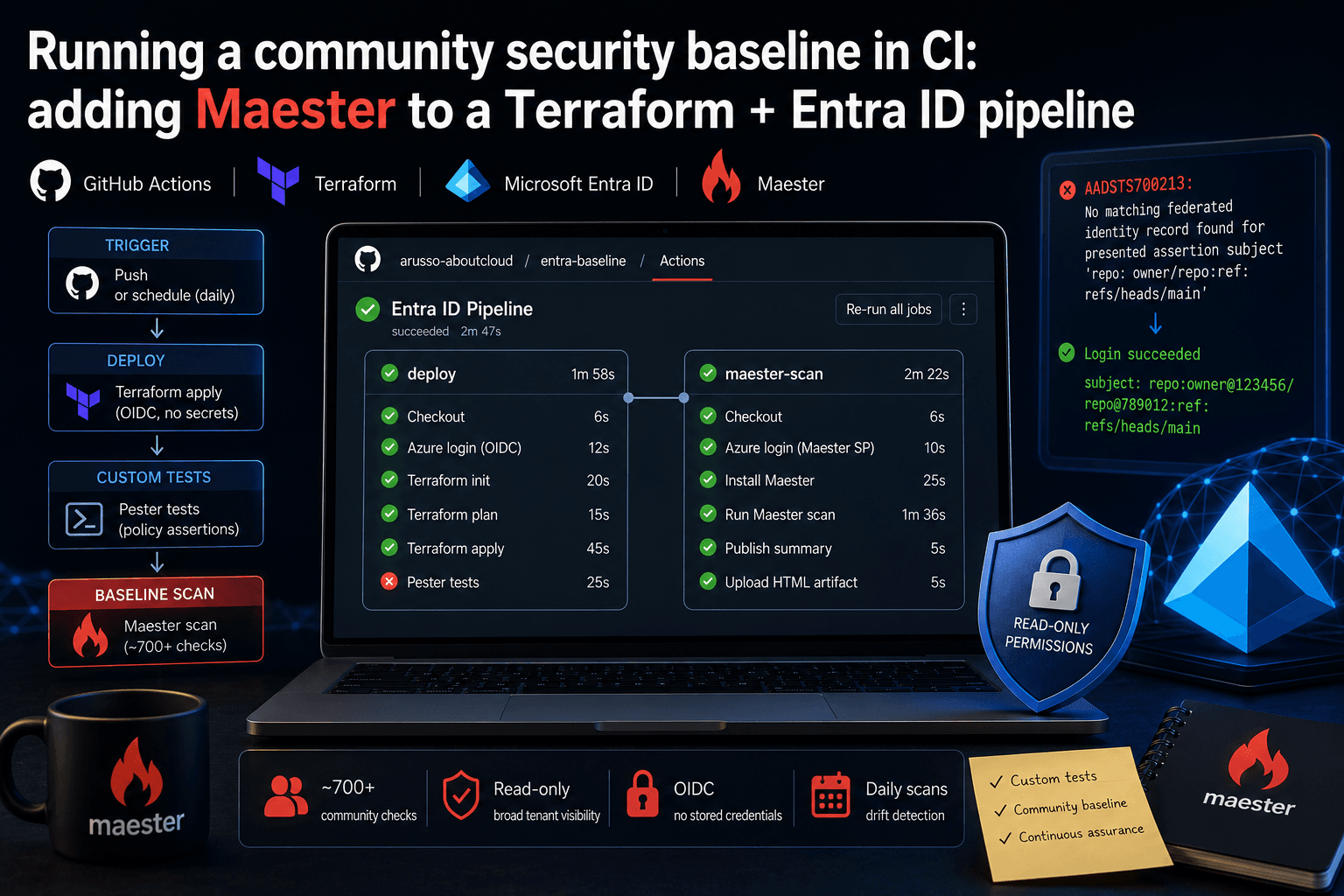
Running a community security baseline in CI: adding Maester to a Terraform and Entra ID GitHub Actions pipeline
Keeping Microsoft Entra ID secure requires constant vigilance. As security configurations, Conditional Access policies, and Privileged Identity Management (PIM) rules evolve, configuration drift becomes an inevitable risk. Manual quarterly reviews leave too much room for silent m
By Antonio Russo

Jul 8, 2026
PKI for Entra ID Professionals: The Skill Job Listings Assume You Have
Open ten job listings for "Entra ID Engineer" or "IAM Specialist" and count how many mention certificates, PKI, or AD CS. In my experience it's most of them usually buried in the "nice to have" section, sometimes as a hard requirement. Yet PKI is exactly the topic most identity professionals have learned to route around: it lived with the "certificate person," some server team, or a vendor. That arrangement is ending. Identity teams now own certificate-based authentication, passwordless rollout
By Antonio Russo